#
General setting
#
Description
This section provides a General setting, including Communication setting, Terms and Condition, and Announcement
#
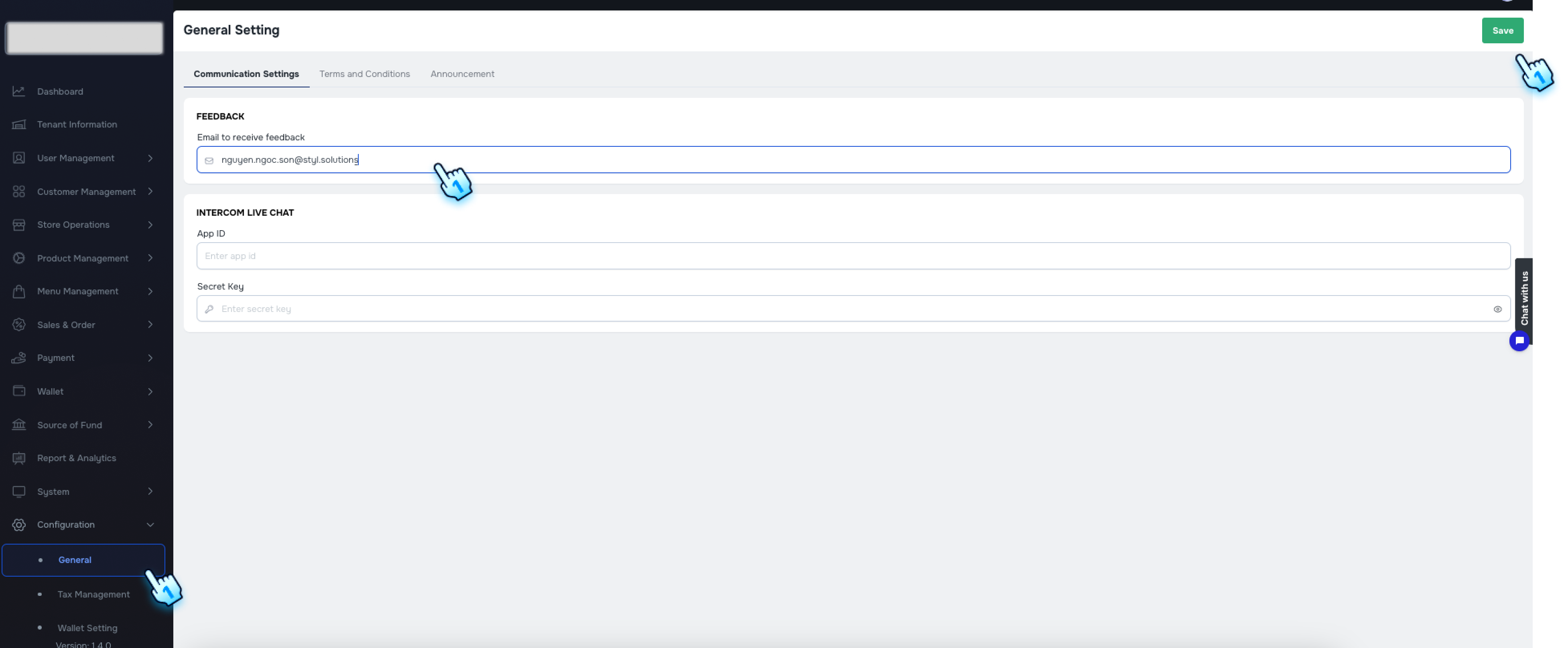
Communication Settings
- Access the Configuration Page
- Navigate to the Configuration section in the BackOffice and go to the General settings.
- Edit Email to receive feedback
- A tab for setting the communication via email display.
- You can configure the email to receive feedback.
- Save and View
- Once you save your changes, the feedback sent from Customer Portall will go to this email setting.
#
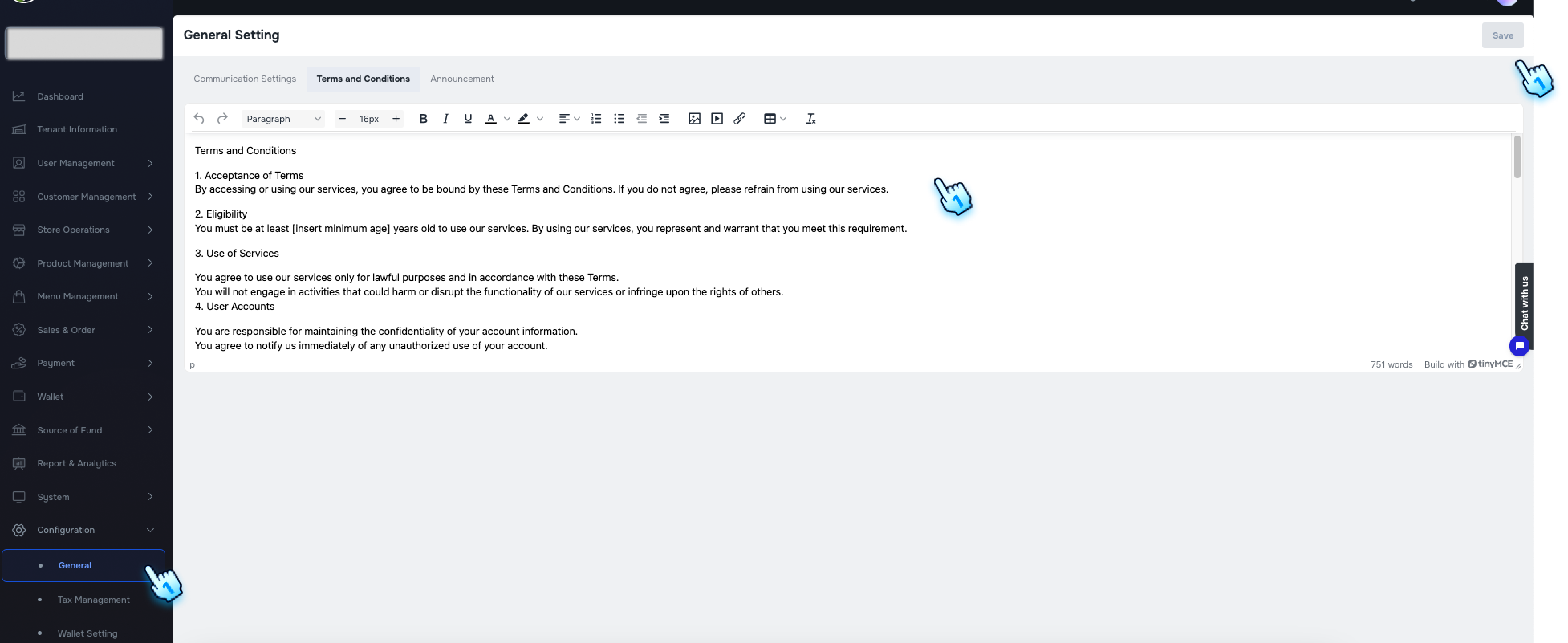
Configuring Terms and Conditions
- Access the Configuration Page
- Navigate to the Configuration section in the BackOffice and go to the General settings.
- Edit Terms and Conditiosns
- A tab for Terms and Conditions display.
- You can customize Terms and Conditions content.
- Save and View
- Once you save your changes, the Terms and Conditions will display in the Registration process accordingly.
#
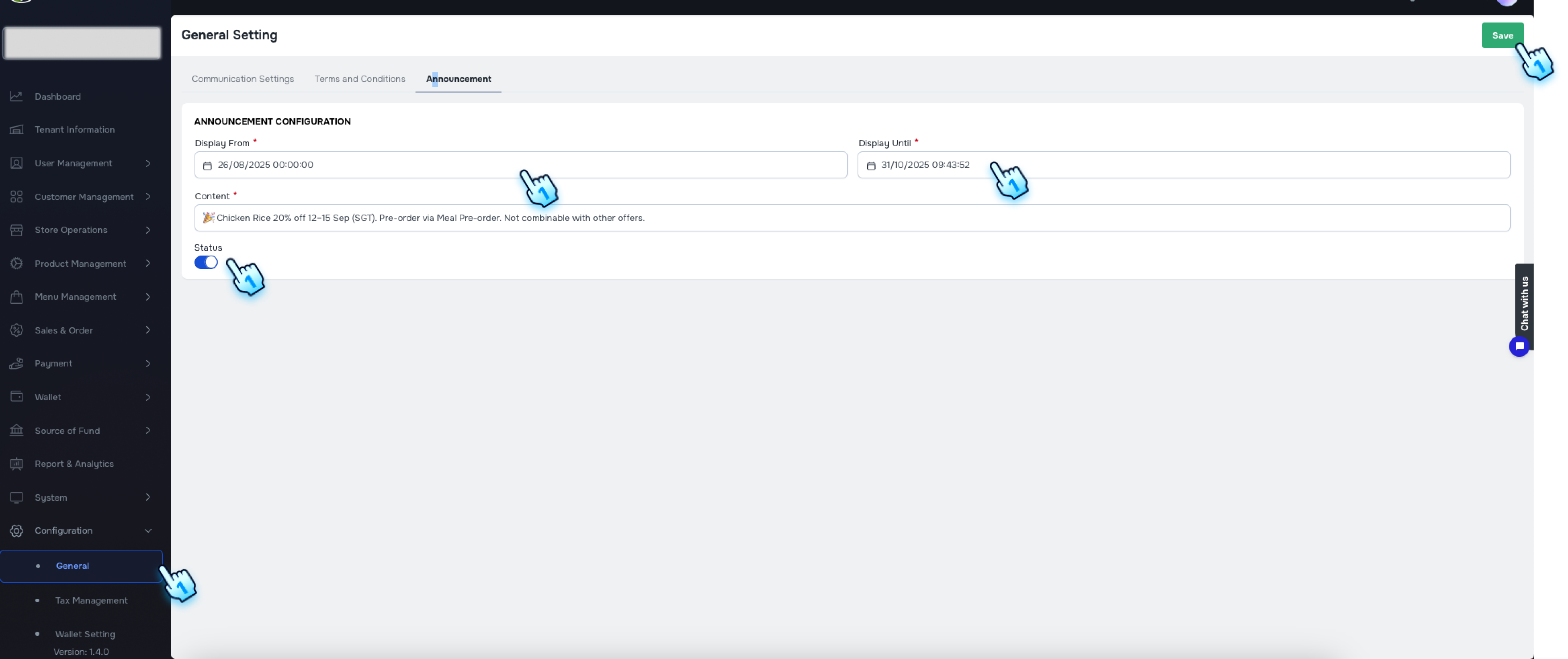
Configuring the Announcement
- Access the Configuration Page
- Navigate to the Configuration section in the BackOffice and go to the General settings.
- Edit Announcement Text
- A new page for configuring the announcement box is now available. You can configure the announcement text under Configuration/General/Announcement.
- Set the Effective period
- Select the days for "Display From" and "Display until"
- Toggle On/Off to activate/ deactivate the Announcement
- The announcement can be activated when toggle is On
- Save and View
- Once you save your changes, the announcement text will display correctly in the header of the Customer Portal.
#
Conclusion
These new Genaral features, including Communication setting, Terms and Conditions, and Announcement Configuration, provide enhanced visibility and customization.
#
Screen flow
#
Admin Setting Allergen Payment Restrictions