#
Group Management Procedure
#
Description
This document outlines the procedures for managing groups and sub-groups within the Customer Management module.
#
Add a Main Group
- Access Group Management
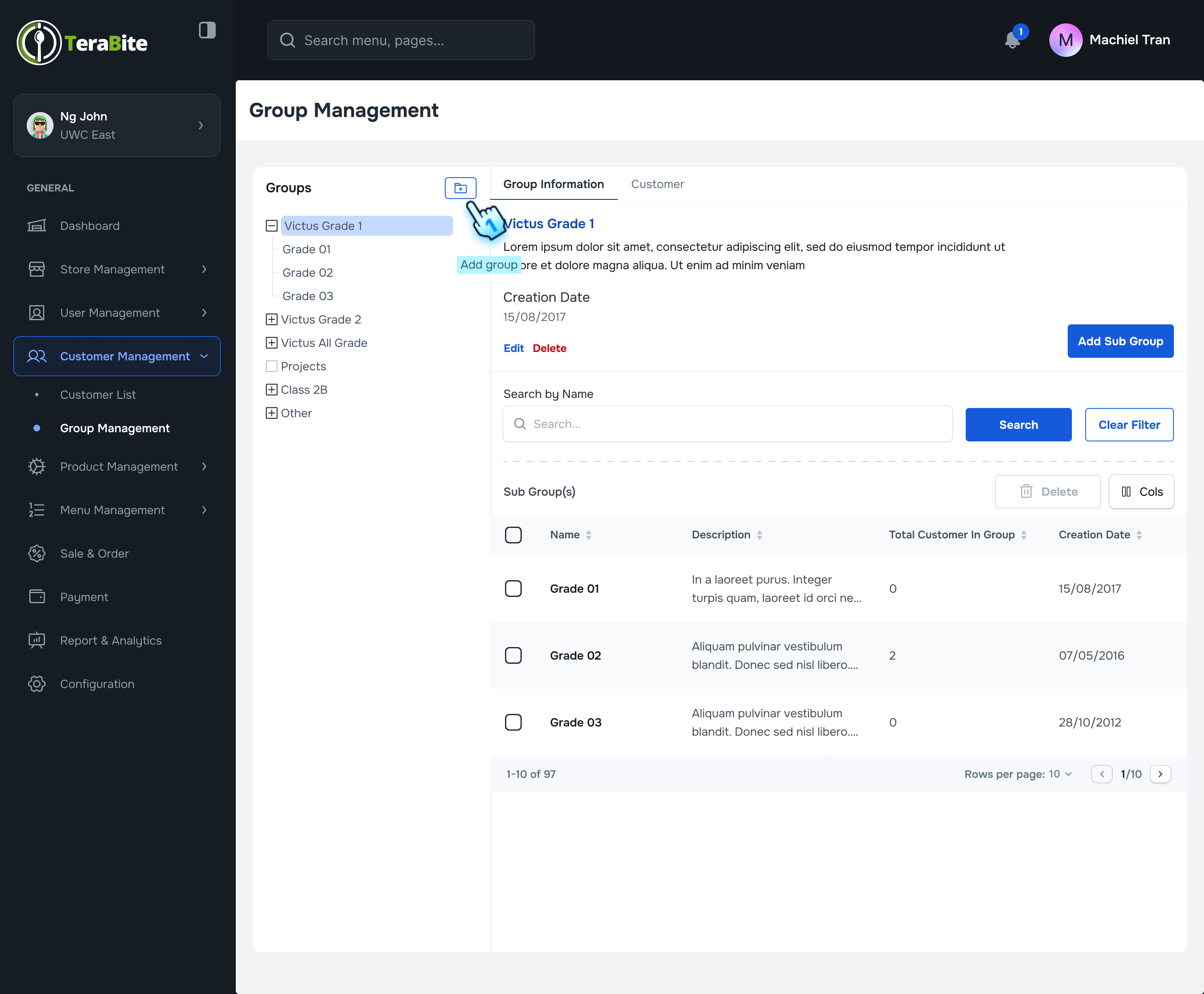
- Navigate to the Group Management section in the Customer Management module.
- Initiate Main Category Addition
- Click on the icon next to the "Groups" title in the menu list.
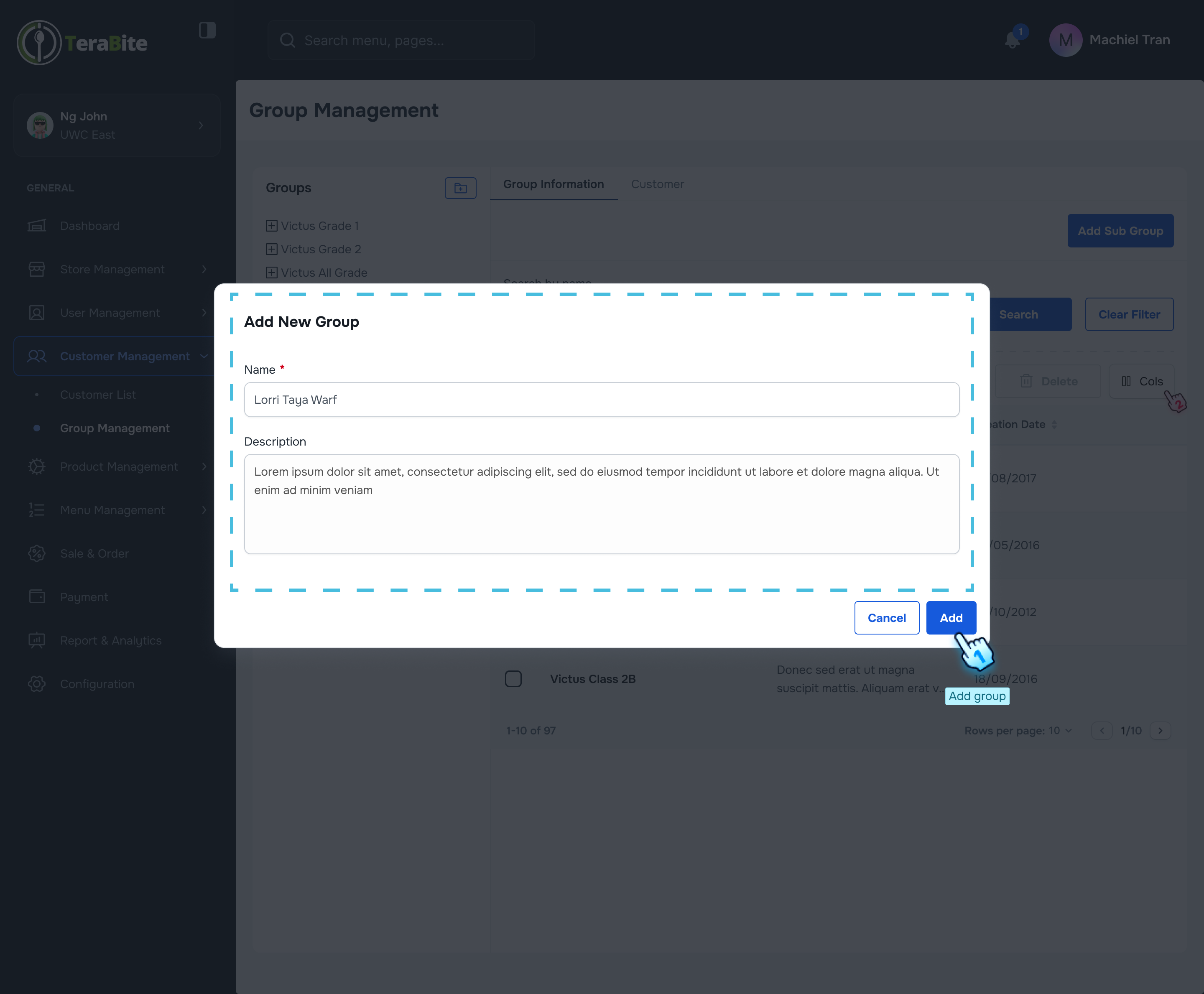
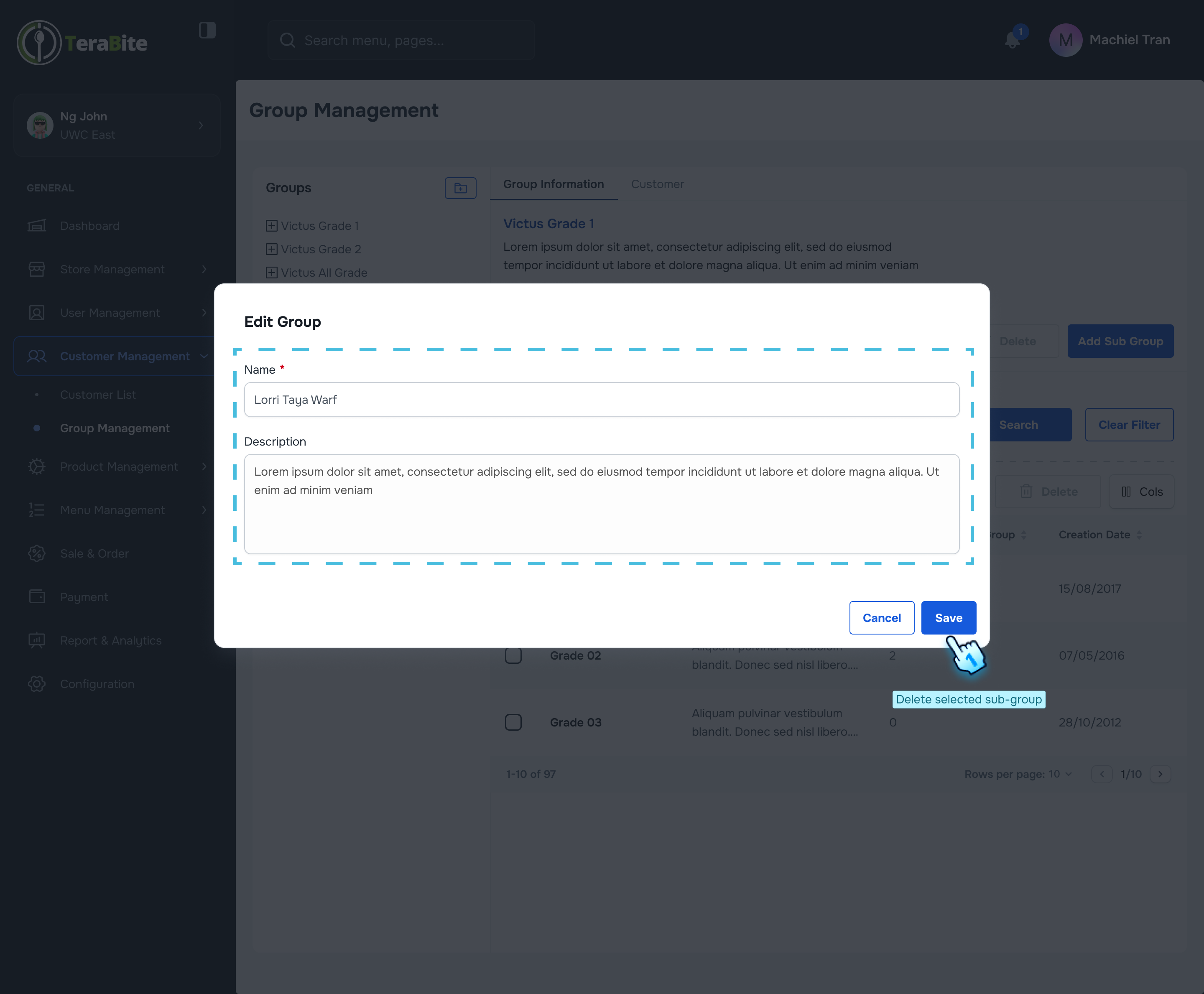
- Enter Group Information
- Fill in the required fields, including:
- Name
- Description
- Finalize Group Creation
- Click the "Create" button to complete the process.
#
Add a Sub-group
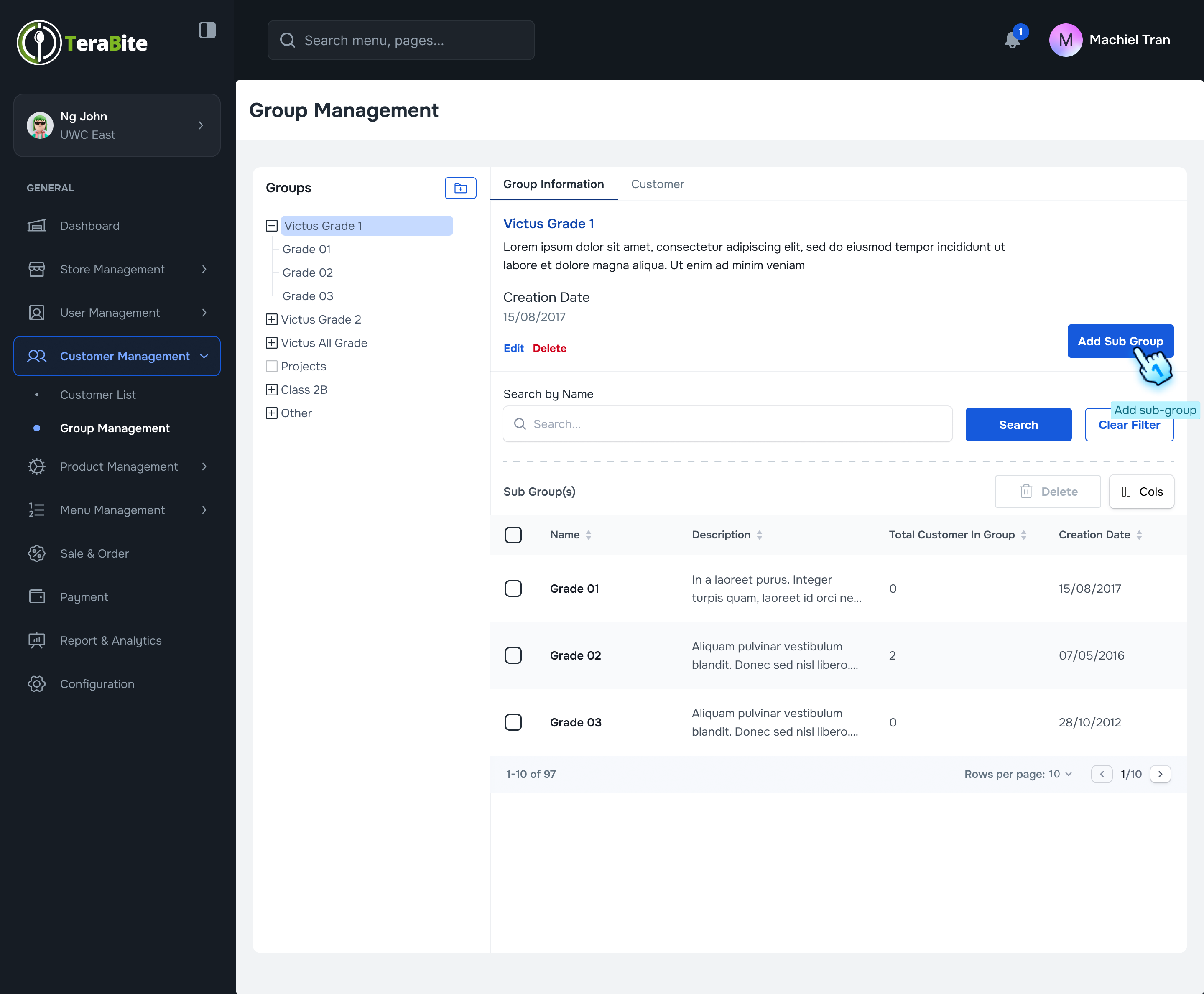
- Select Main Group
- Choose the main group from the menu list.
- Initiate Sub-group Addition
- Click the "Add Sub-group" button.
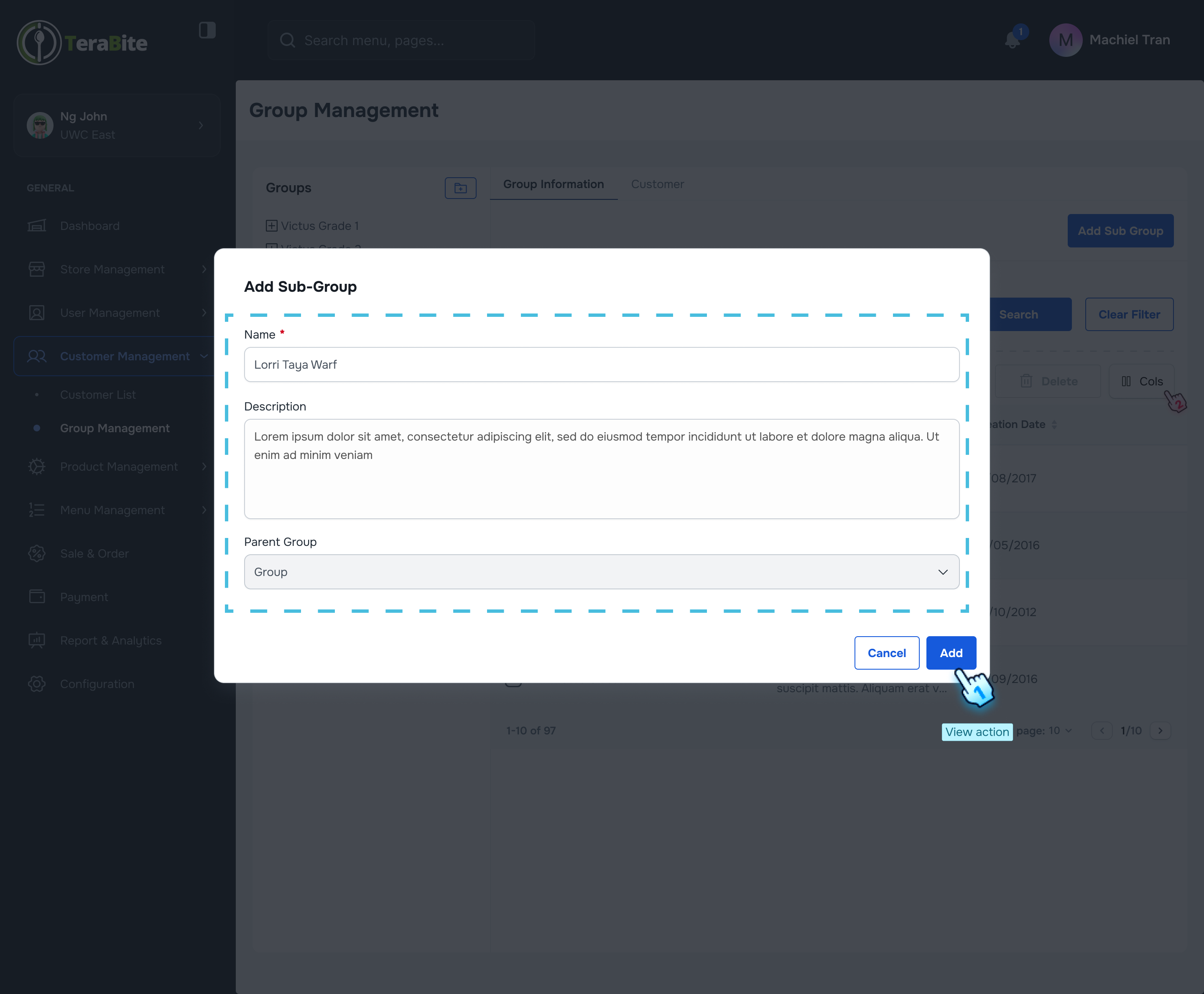
- Enter Sub-group Information
- Fill in the required fields, including:
- Name
- Description
- Finalize Sub-group Creation
- Click the "Create" button to complete the process.
#
Assign Customers to a Group
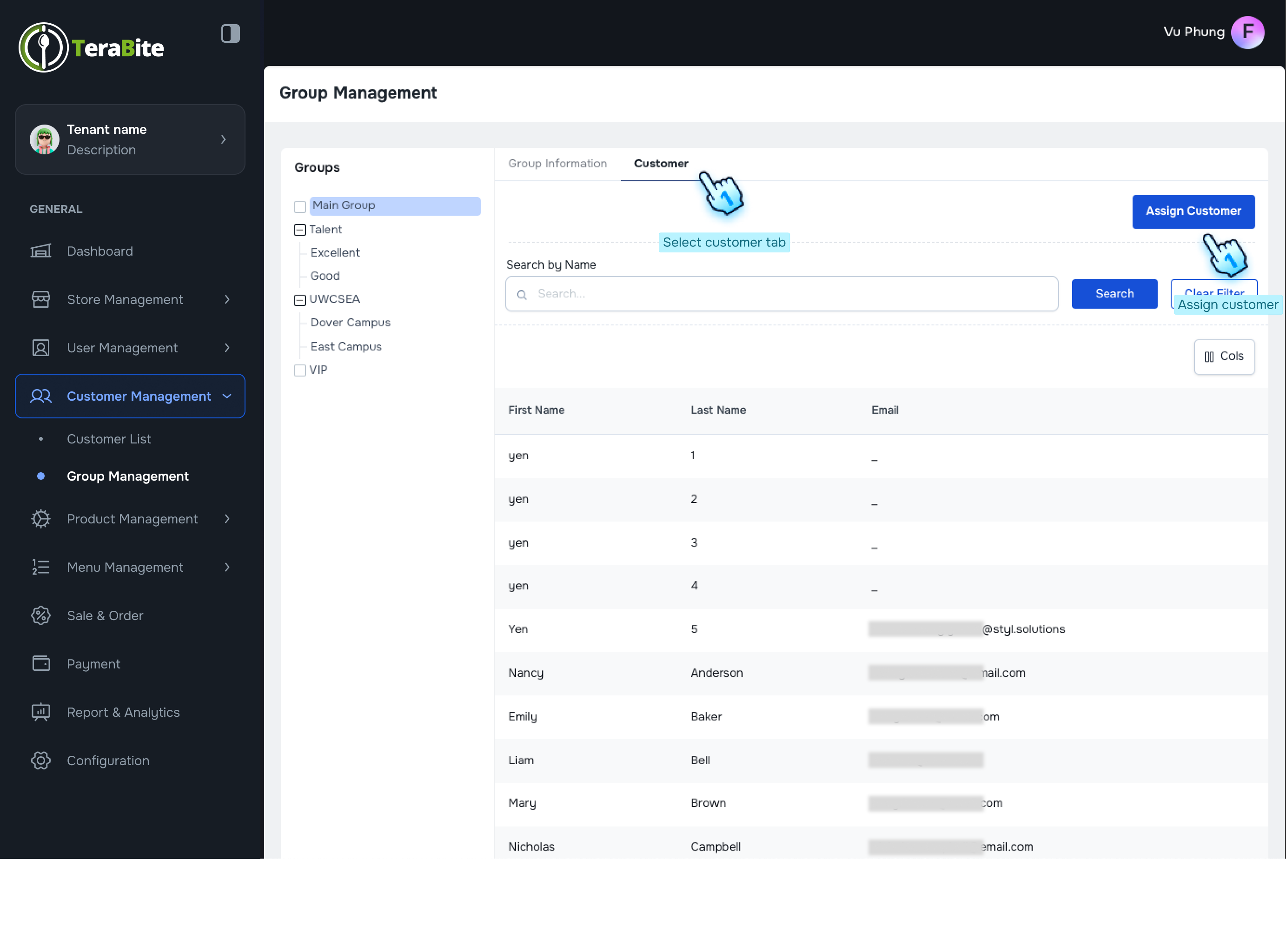
- Select Main Group
- Choose the main group from the menu list.
- Navigate to Customer Tab
- Click on the "Customer" tab.
- Initiate Customer Assignment
- Click the "Assign Customer" button.
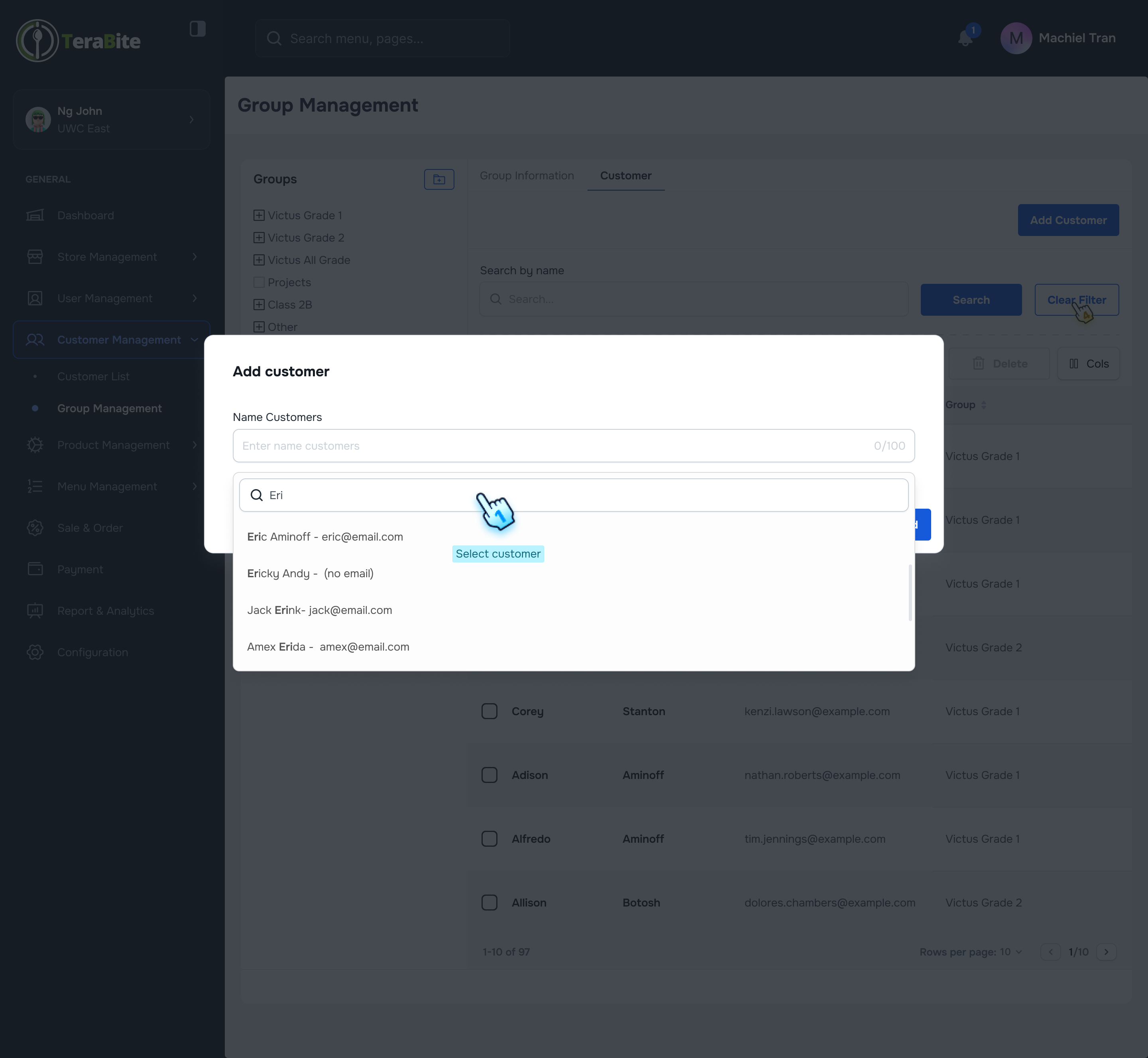
- Search for Customers
- Search for and select customers by name.
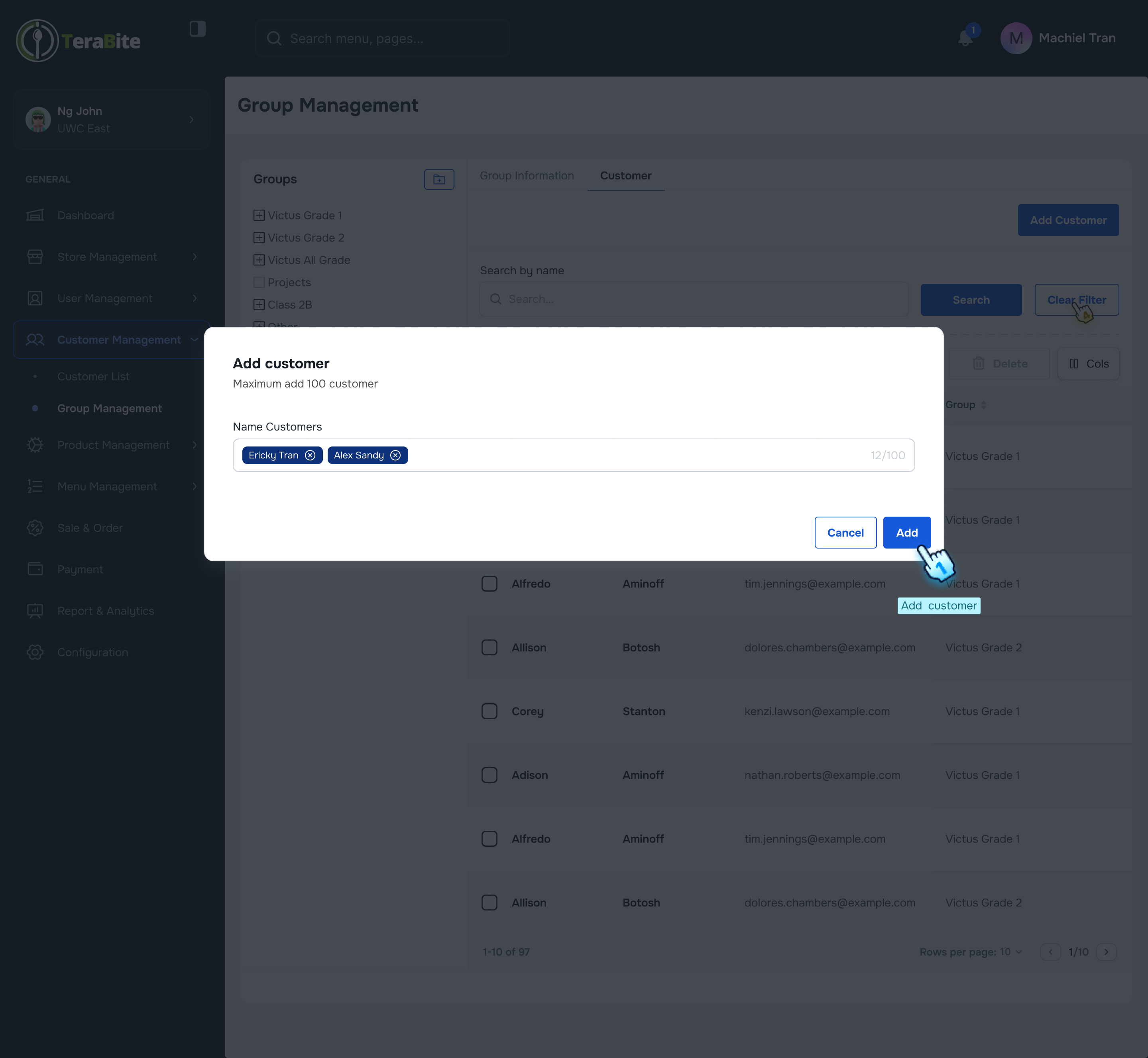
- Finalize Customer Assignment
- Click the "Add" button to complete the assignment.
#
View Groups and Sub-groups
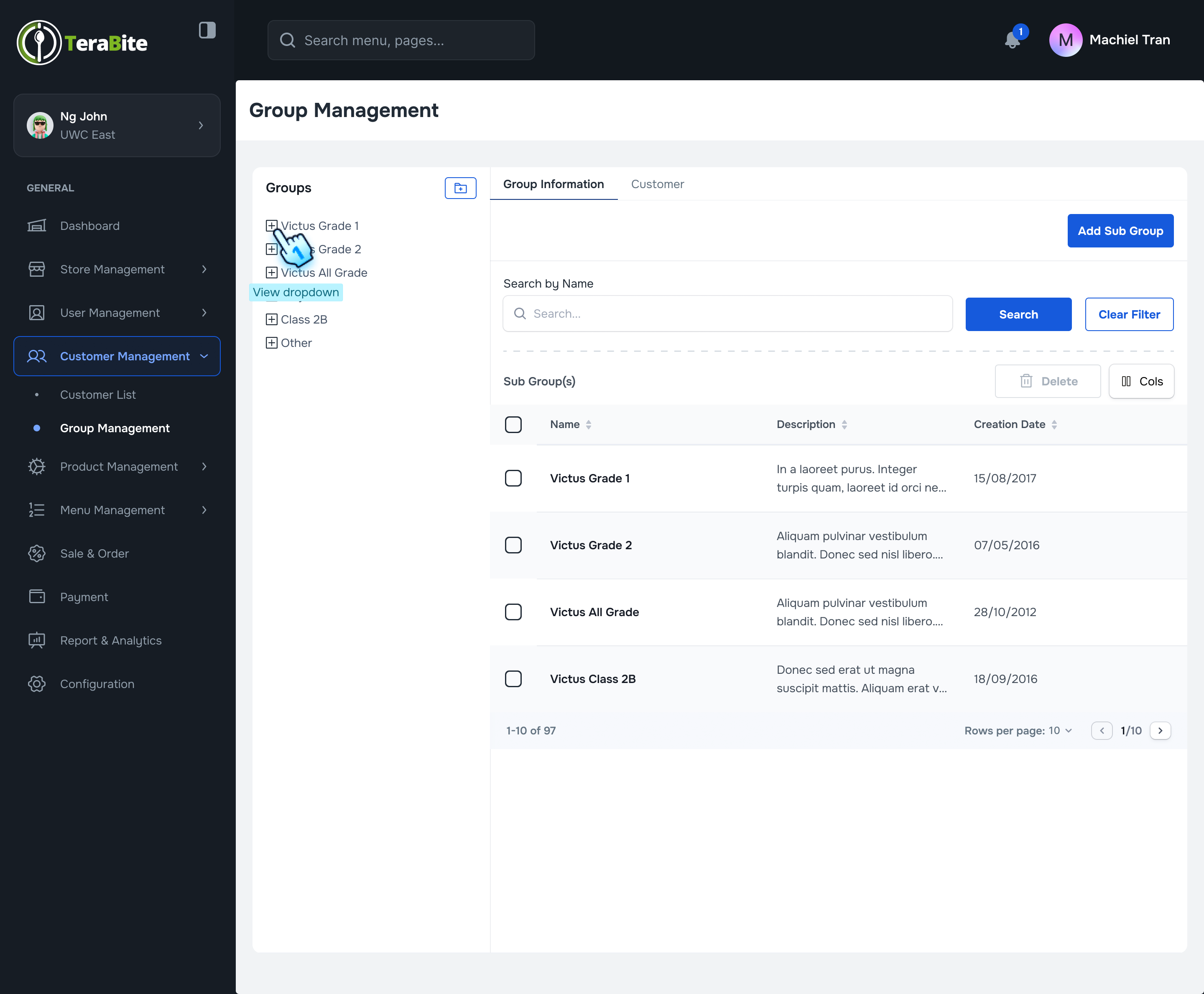
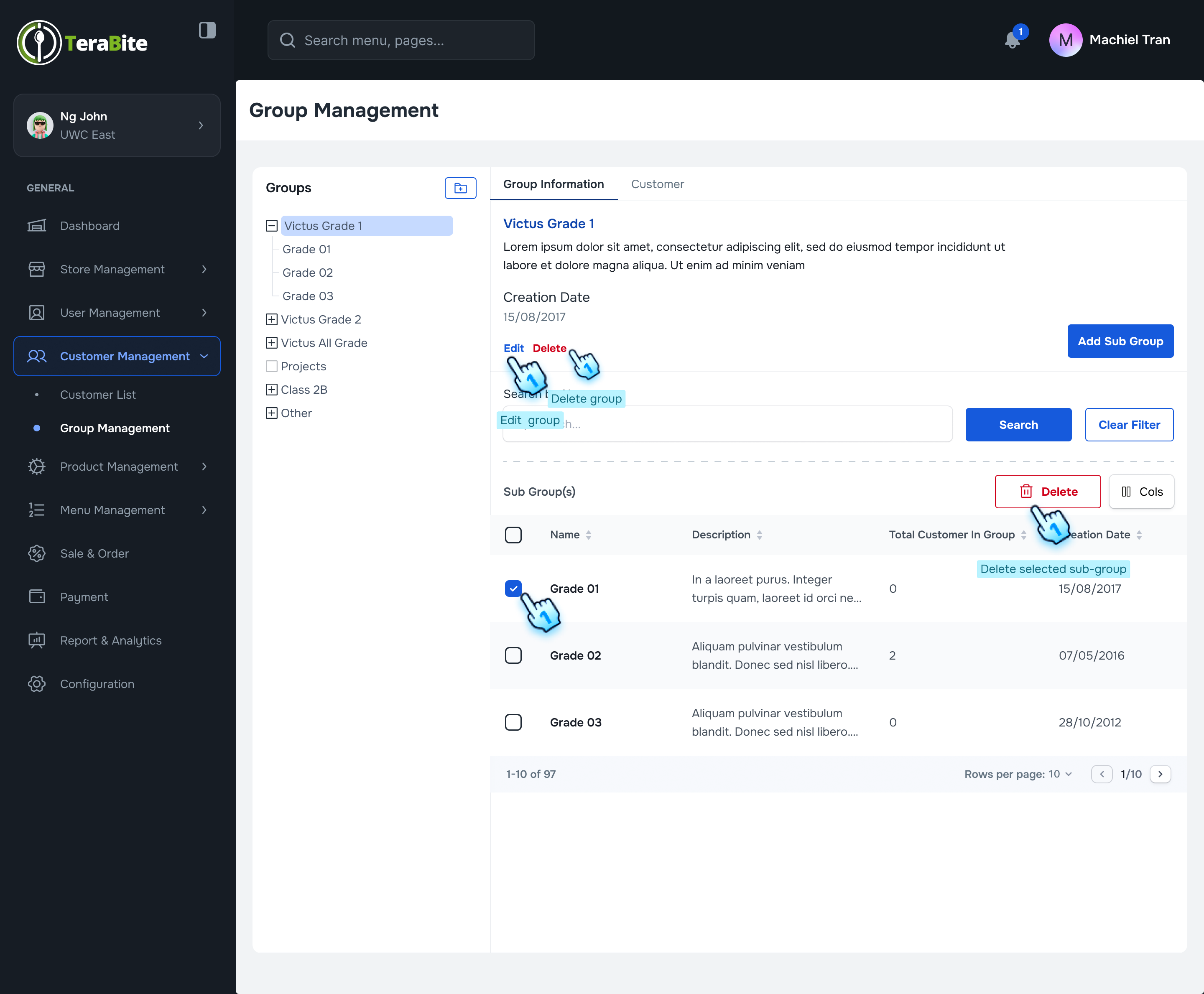
- Expand Groups
- Click the (+) button at the beginning of each group in the menu to quickly drop down the sub-groups.
- View Group/Sub-group List
- Select each group or sub-group in the menu list to display the corresponding list on the right side.
- Delete Sub-groups (if necessary)
- Check the checkbox of each sub-group you wish to delete and click the "Delete" button.
- Delete Main Group (if necessary)
- Click the "Delete" button under the main group title to delete the main group. Note: A main group can only be deleted if all associated sub-groups have been deleted.
#
Conclusion
This document provides a structured approach for managing groups and sub-groups within the Customer Management module, ensuring effective organization and assignment of customers.
#
Screen flow
#
Add a Main Category
#
Add a Sub-group
#
Assign Customers to a Group