#
Device Management
#
Description
This document outlines the procedures for viewing and editing device details, as well as managing the store list and changing store statuses.
#
View and Edit Device Details
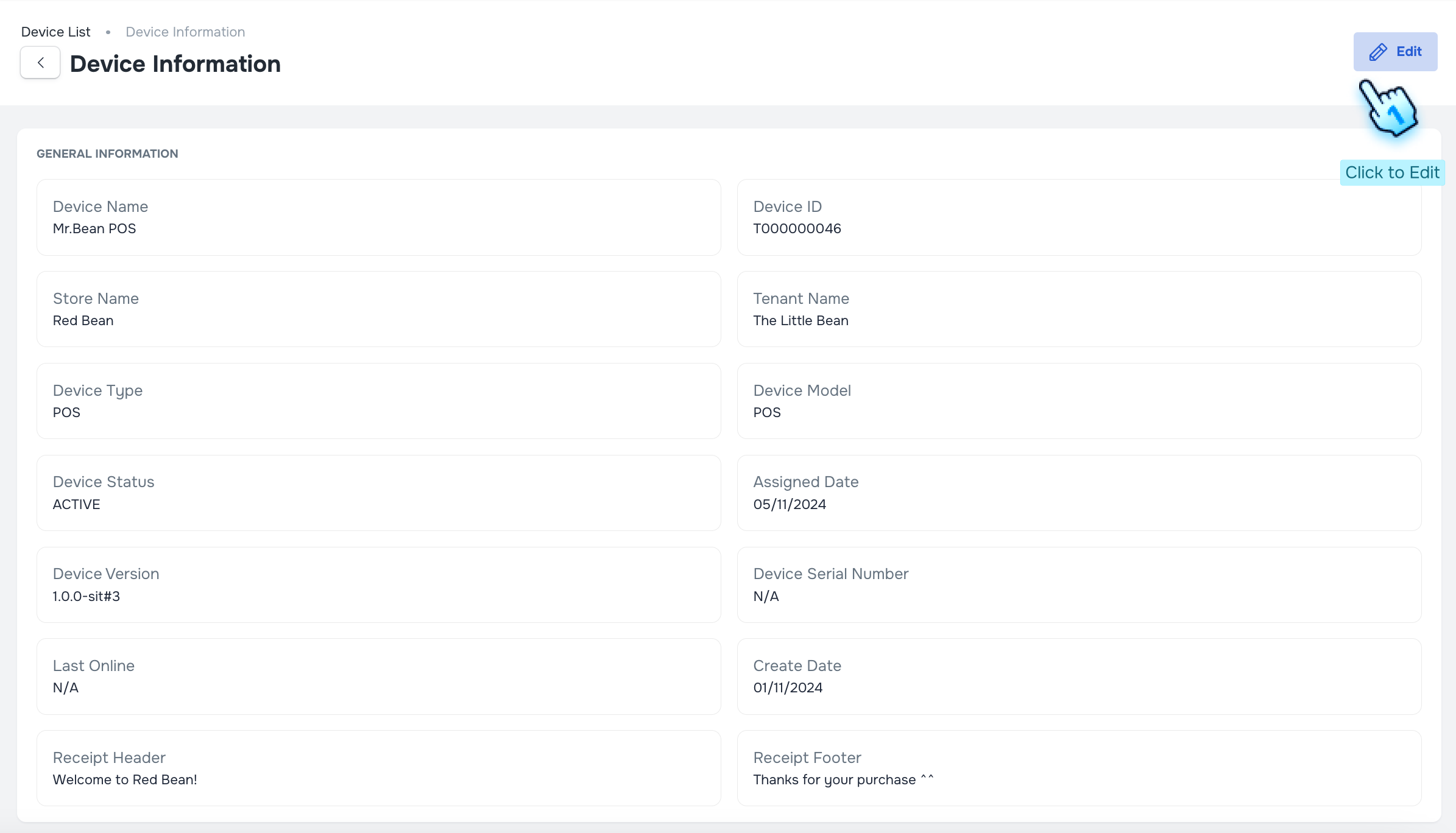
- Access Device Details
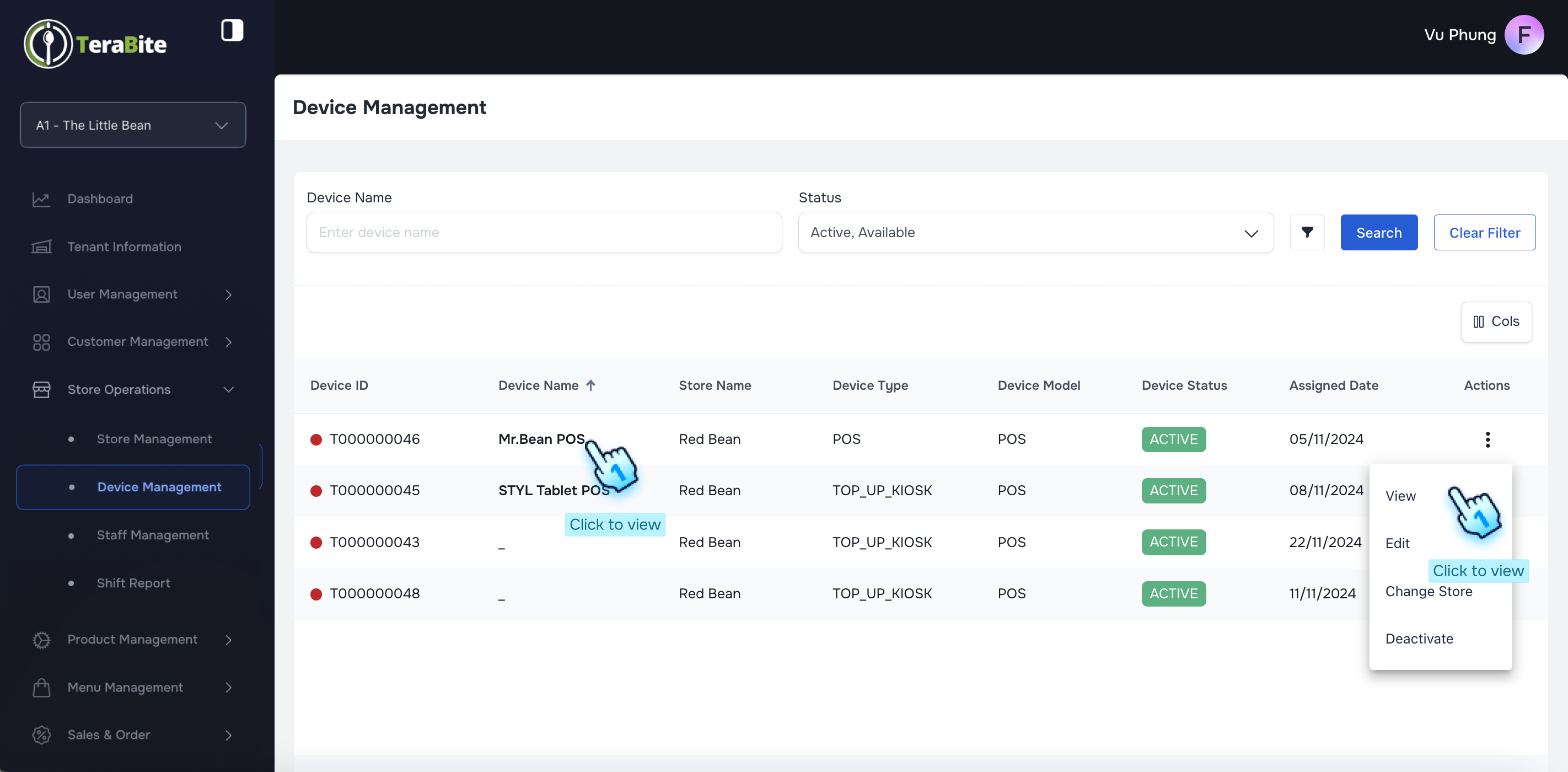
- Navigate to the Device Management section to view the list of devices.
- Edit Device Information
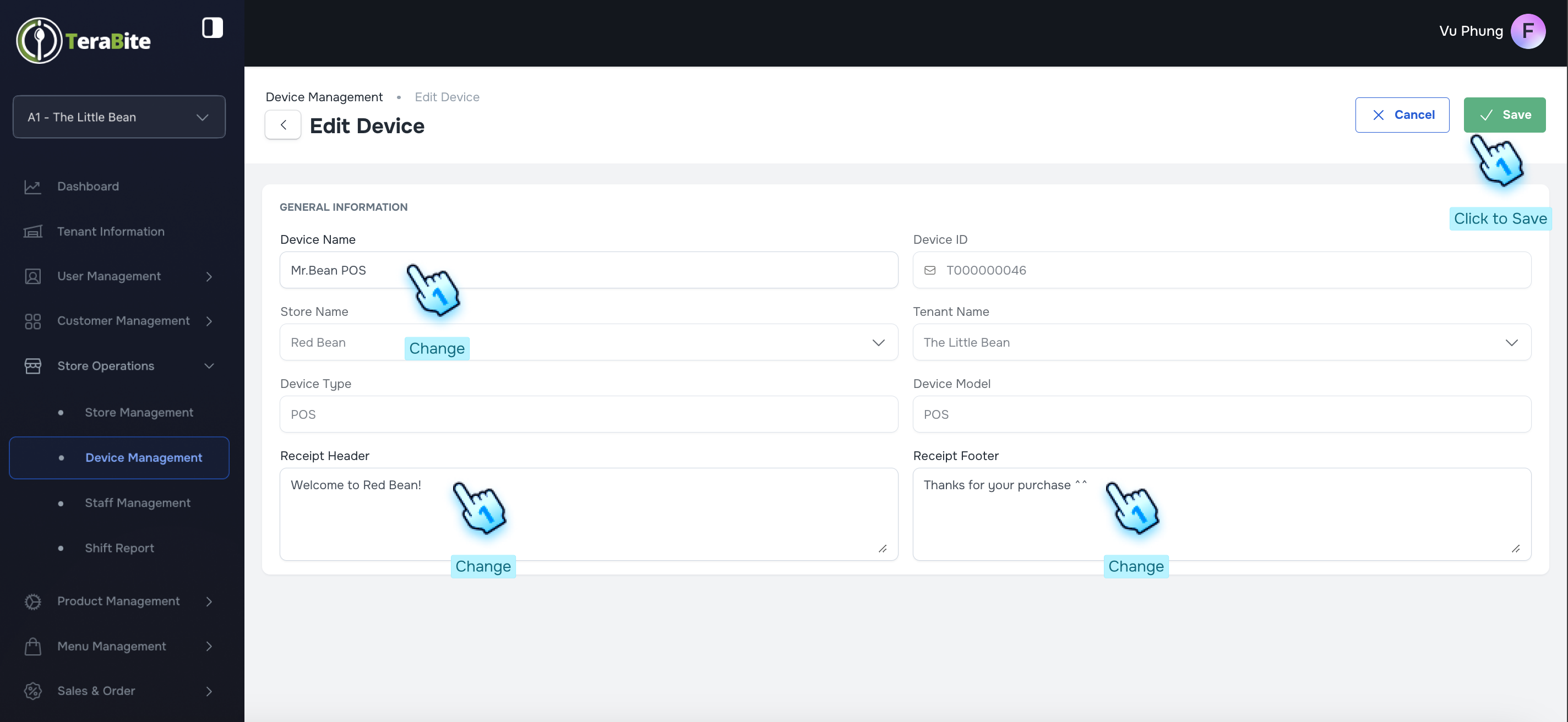
- Select the device you wish to edit and click the "Edit" button.
- Modify the necessary device information as required.
- Save Changes
- Click the "Save" button to finalize and apply your changes.
#
View Device List and Change Status
- Access Device List
- Navigate to the Device List section to view all Device.
- Perform Actions Based on Device Status
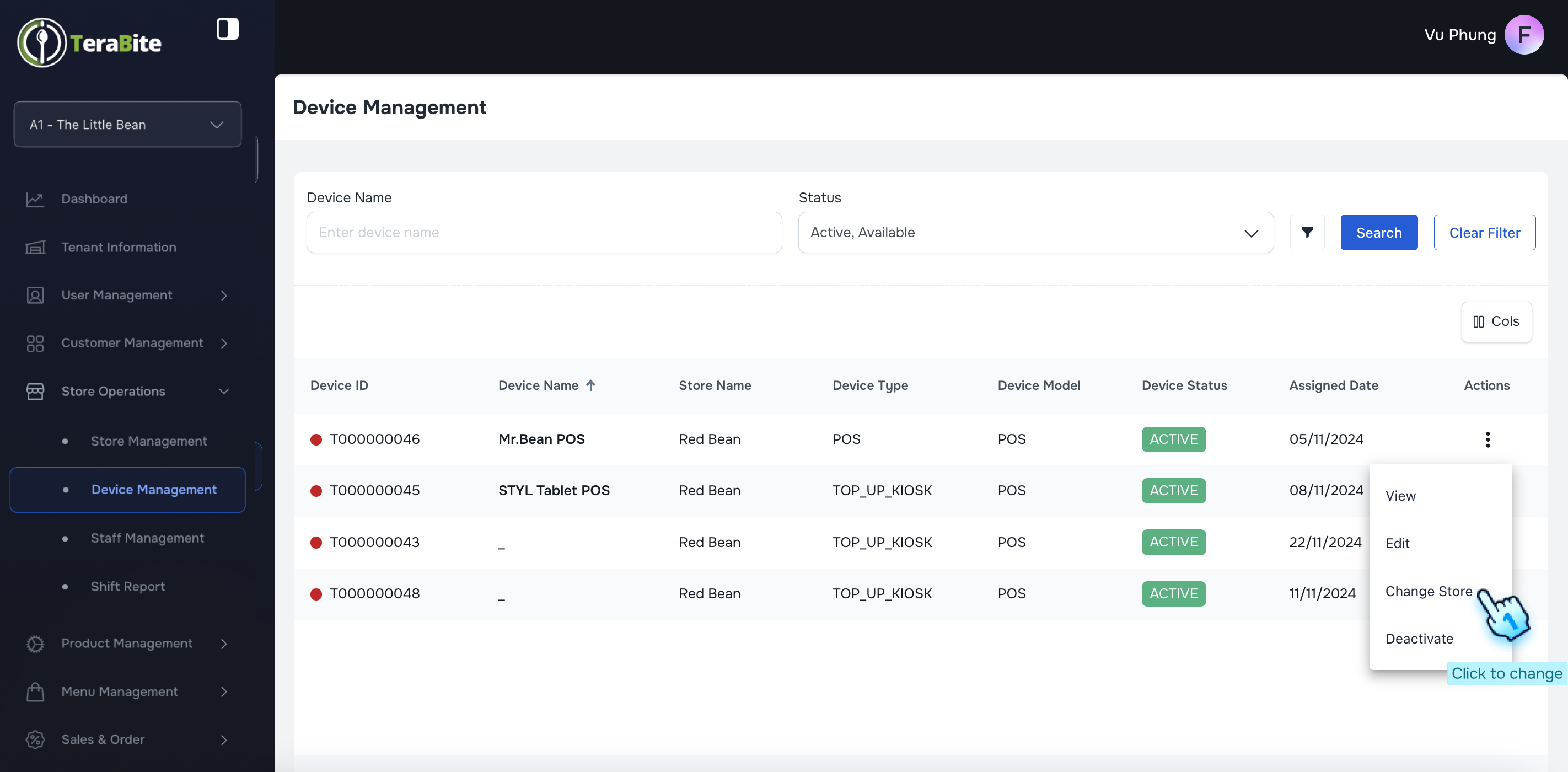
- Click on the three-dot menu in each row to reveal available actions for each store based on its current status.
- Actions per Status:
- Activate: Options are View, Edit, Change Store, and Activate.
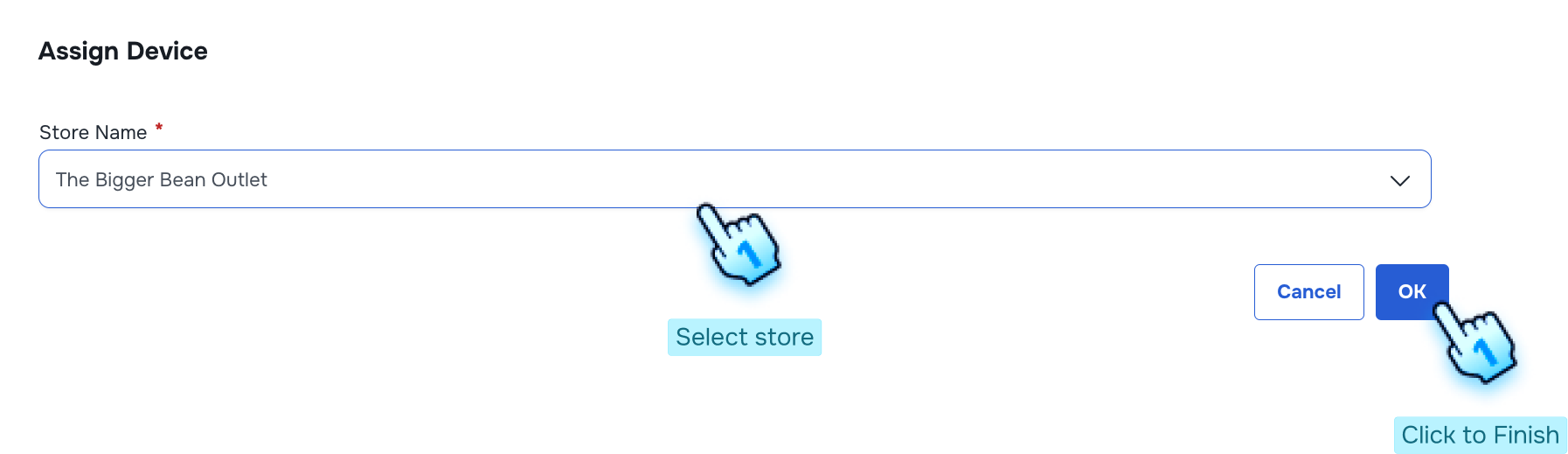
- Click on the Change store if necessary
- Select store and click OK to finish
- Inactive: Options are View, Edit, Change Store, and Activate.
#
Conclusion
This document provides a clear guide for managing devices and stores, ensuring efficient oversight and administration of device details and store statuses.
#
Screen flow