#
Fund Addition/ Deduction for Multi-Wallet
#
Description
This document outlines the procedures for managing funds, including adding and deducting funds within the application.
#
Add Funds
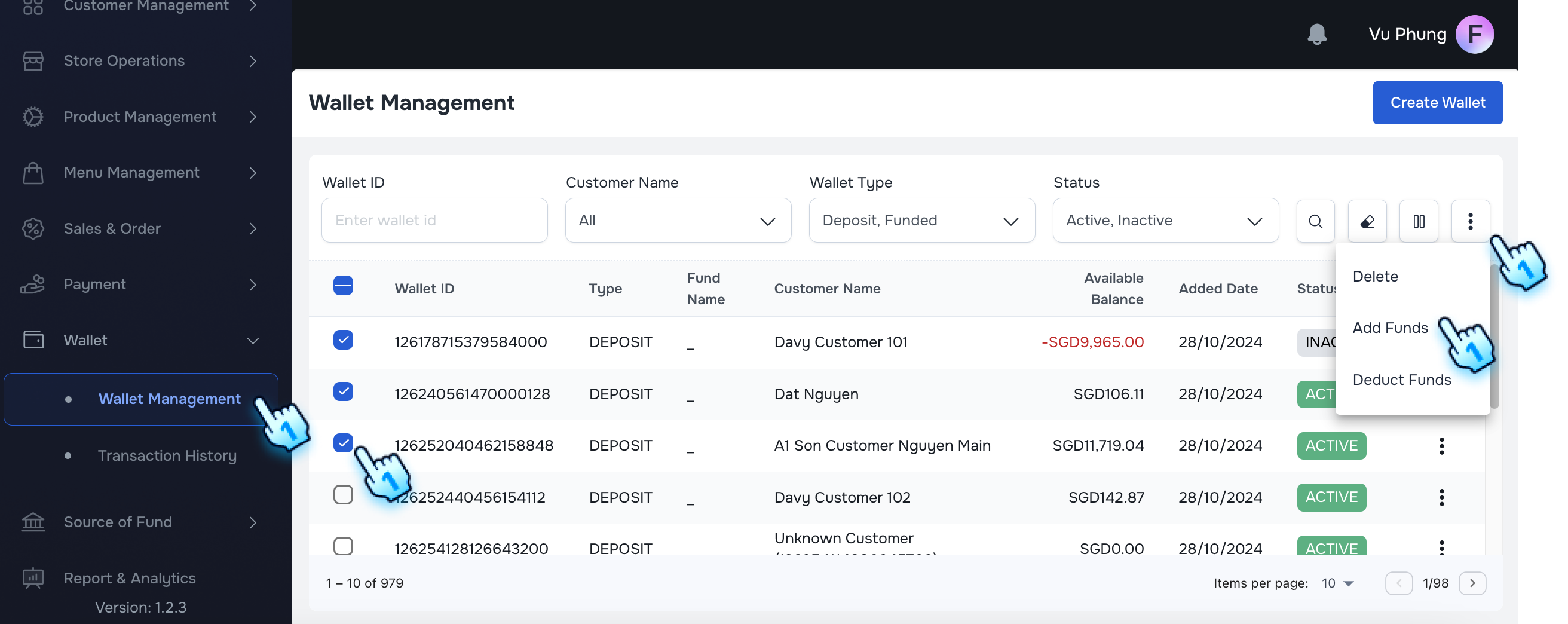
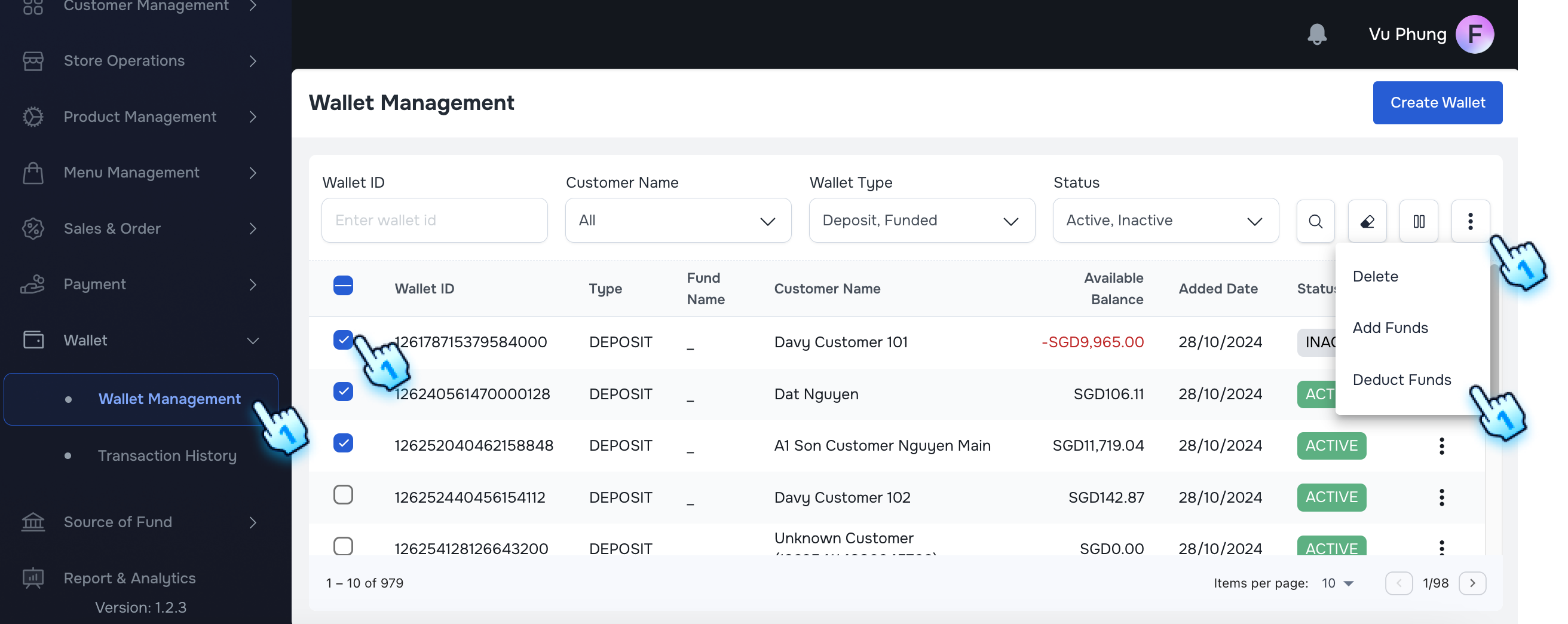
- Select Wallets
- Choose the wallets to which you wish to add funds.
- Navigate to Add Funds
- Access the Add Funds section from the three-dot menu.
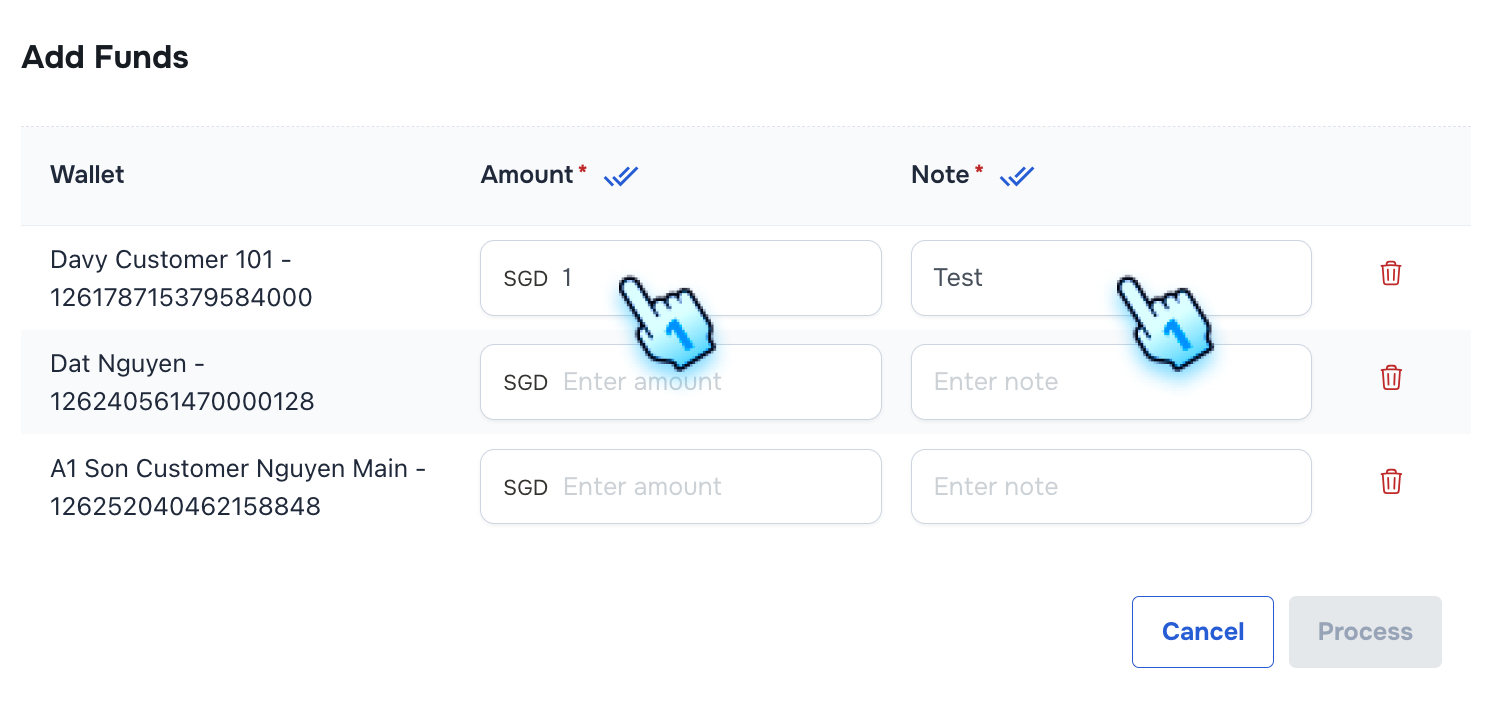
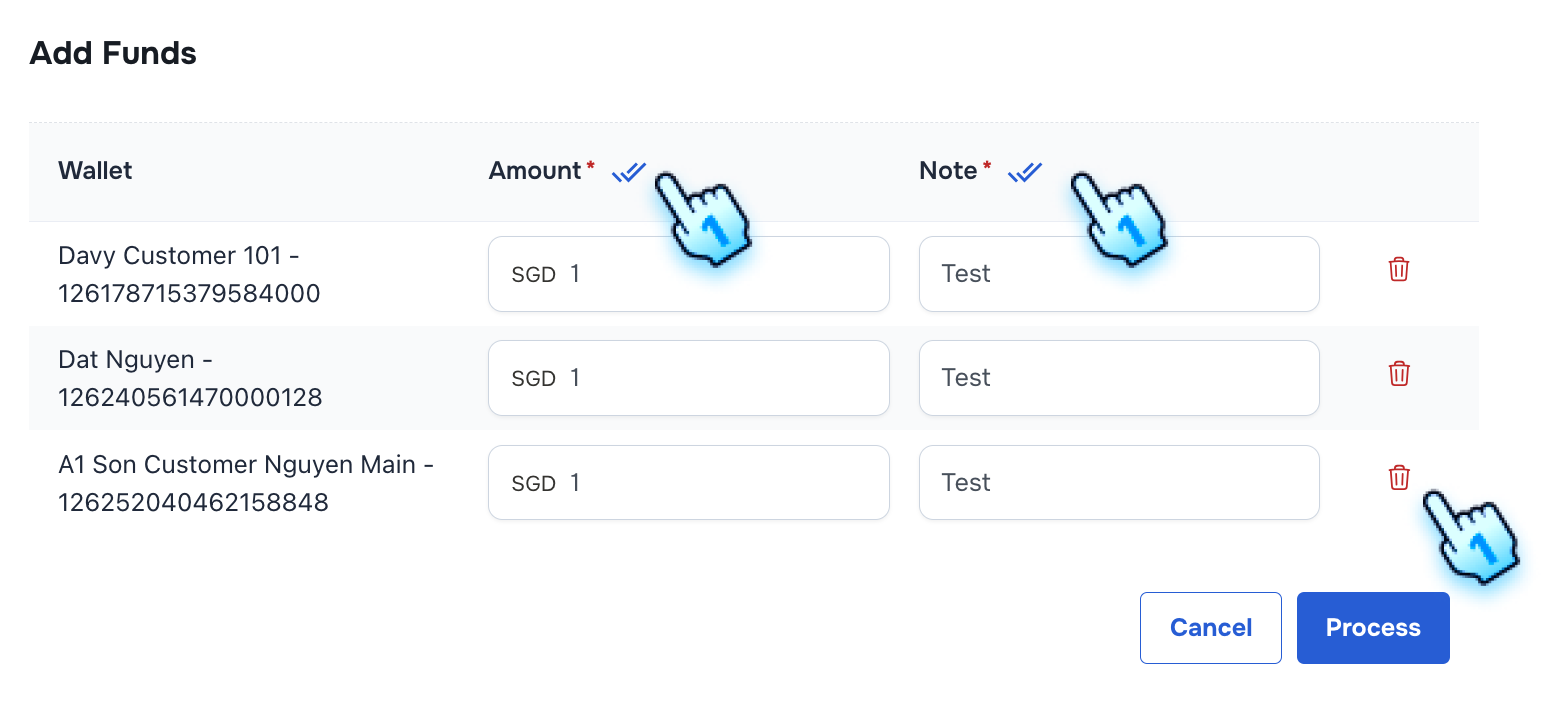
- Manual Entry for Amount and Note
- Amount: Input the amount to be added.
- Note: Provide a note for the transaction.
- Apply to All Feature
- Use the "Apply to All" feature to enter the same amount and note for multiple wallets.
- Deleting Wallets
- Click the Delete button at a wallet which you wish to delete
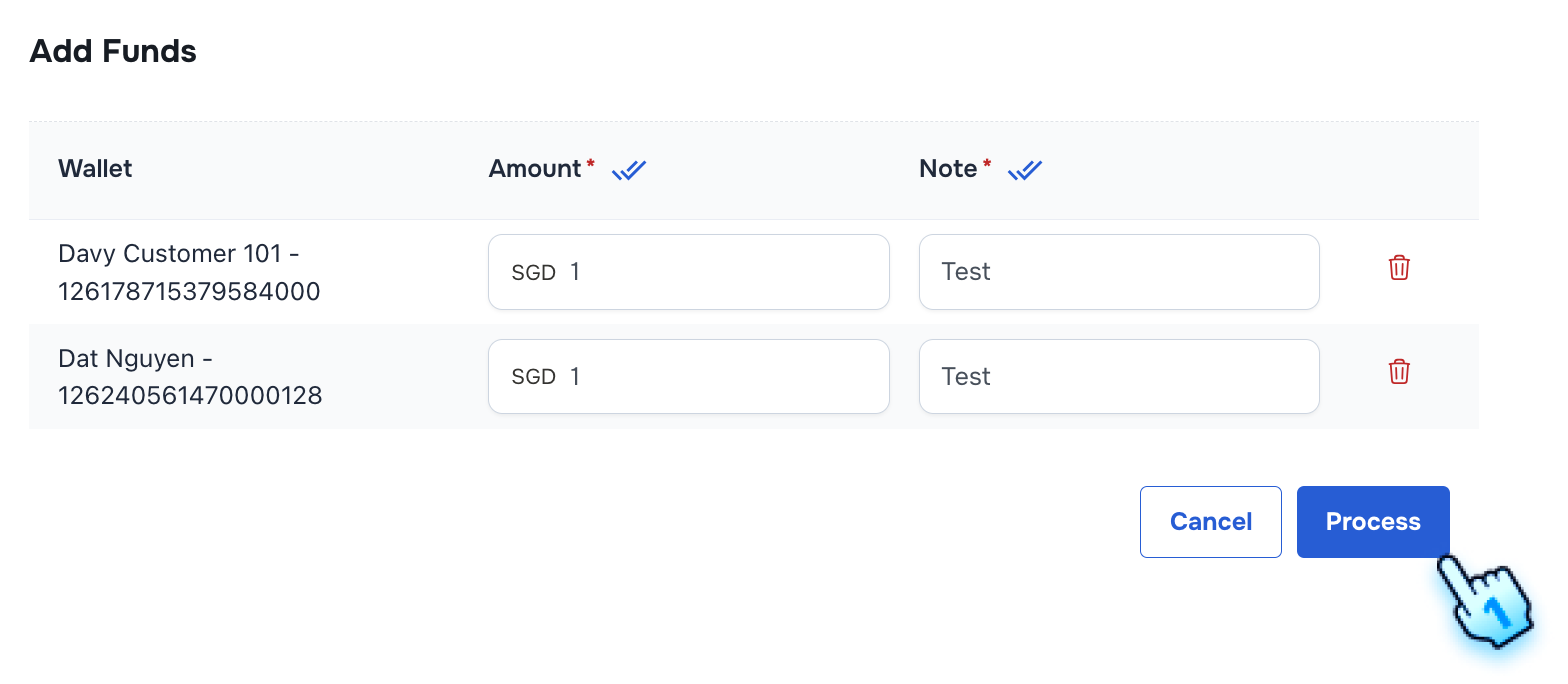
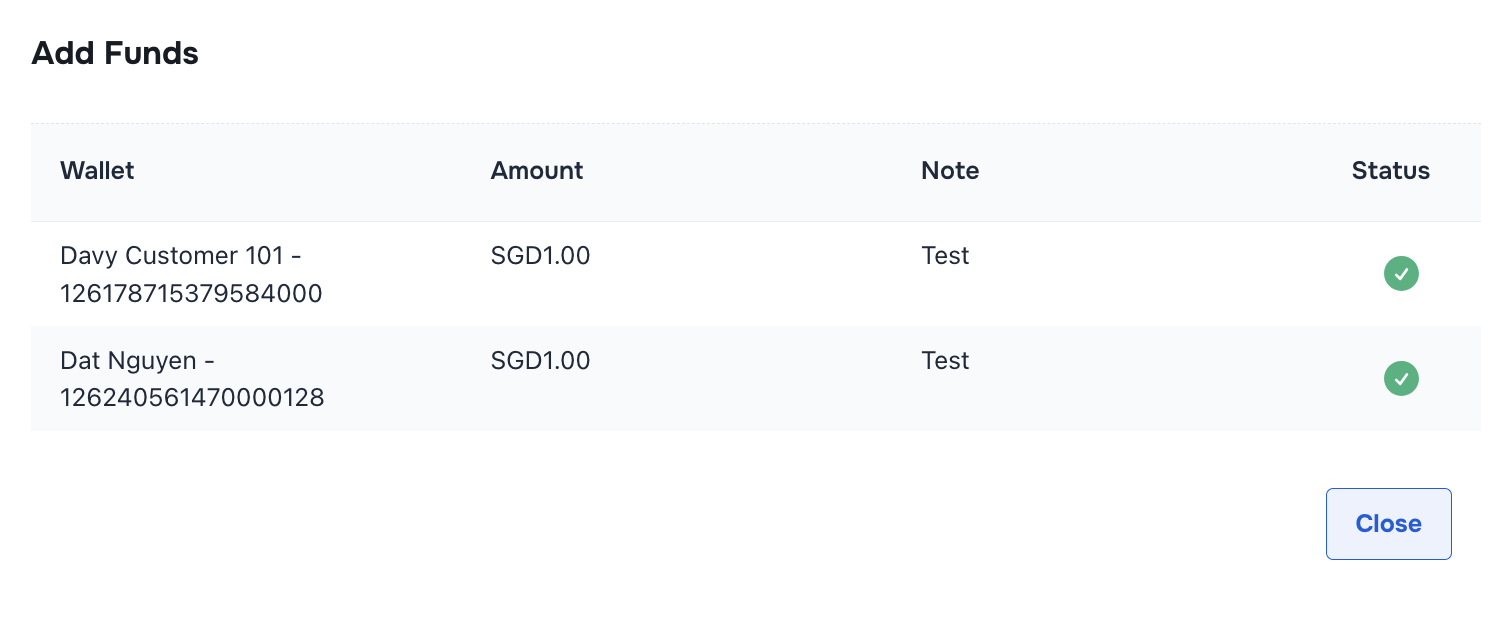
- Process Add Fund
- Click "Process" button to add Fund
#
Deduct Fund
- Select Wallets
- Choose the wallets to which you wish to deduct funds.
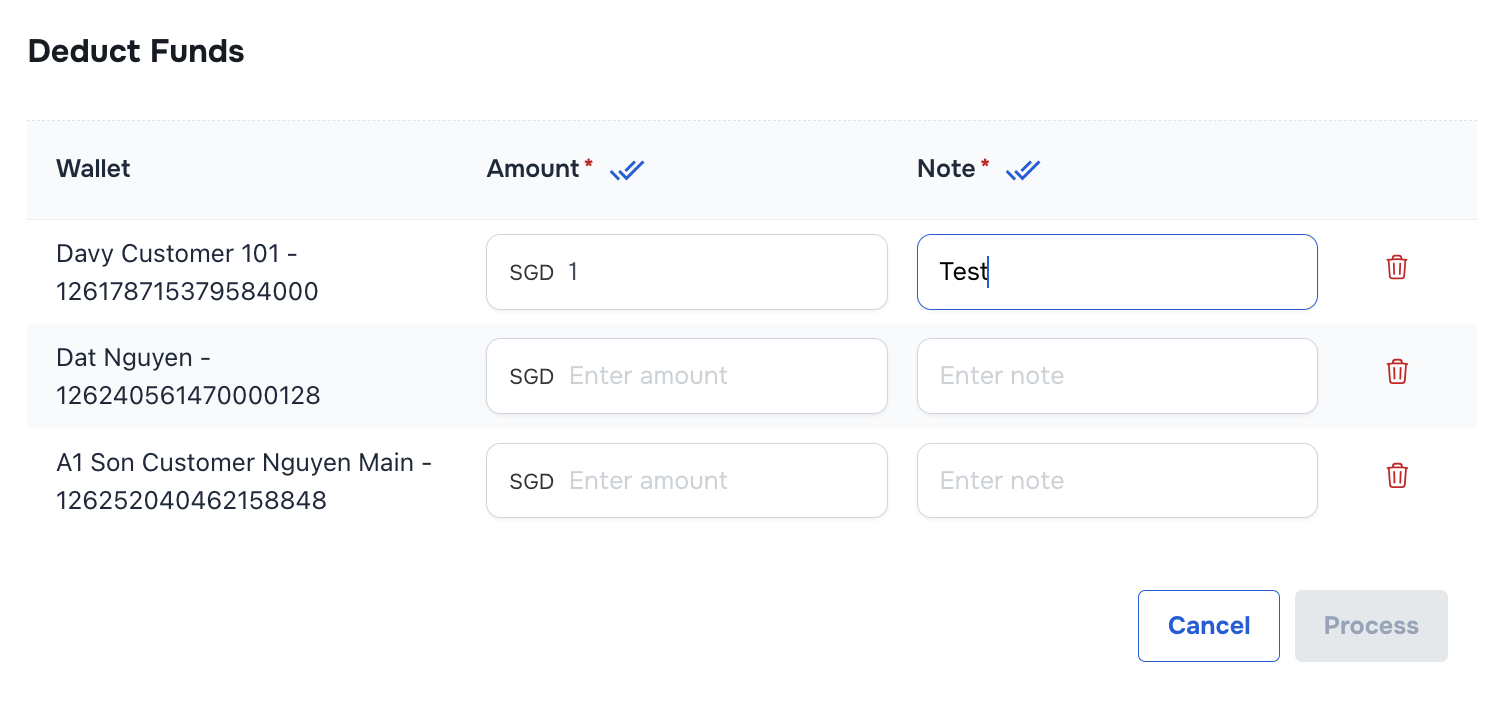
- Navigate to Deduct Funds
- Access the Deduct Funds section from the three-dot menu.
- Manual Entry for Amount and Note
- Amount: Input the amount to be deducted.
- Note: Provide a note for the transaction.
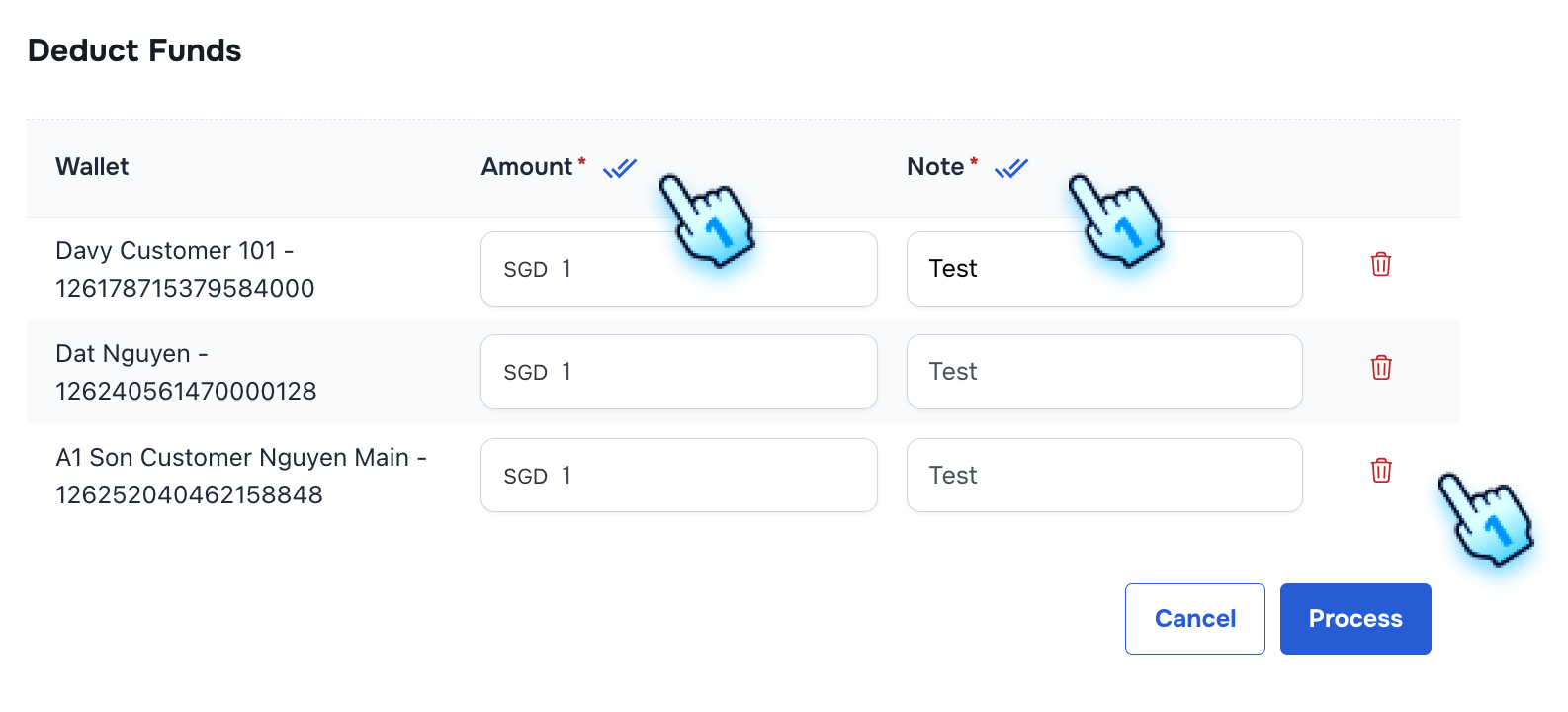
- Apply to All Feature
- Use the "Apply to All" feature to enter the same amount and note for multiple wallets.
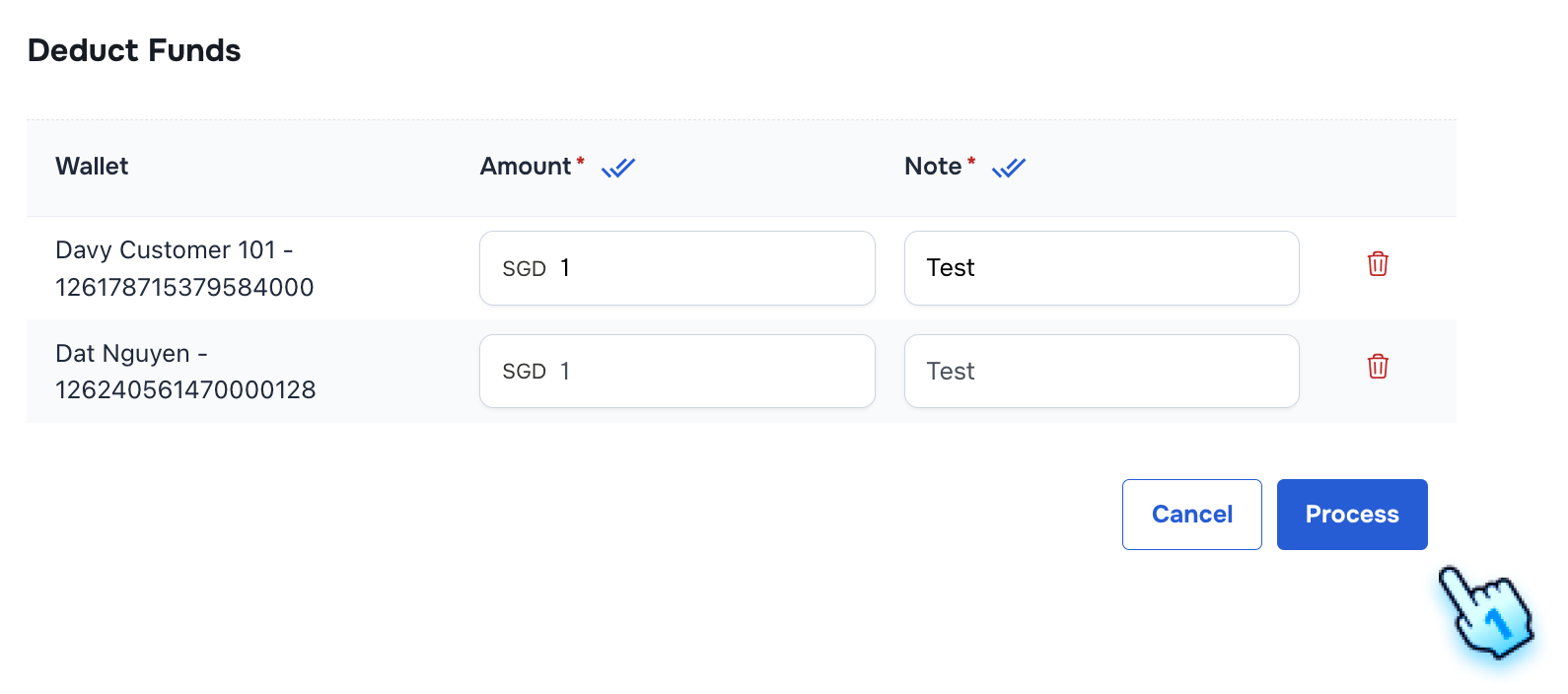
- Deleting Wallets
- Click the Delete button at a wallet which you wish to delete
- Process Add Fund
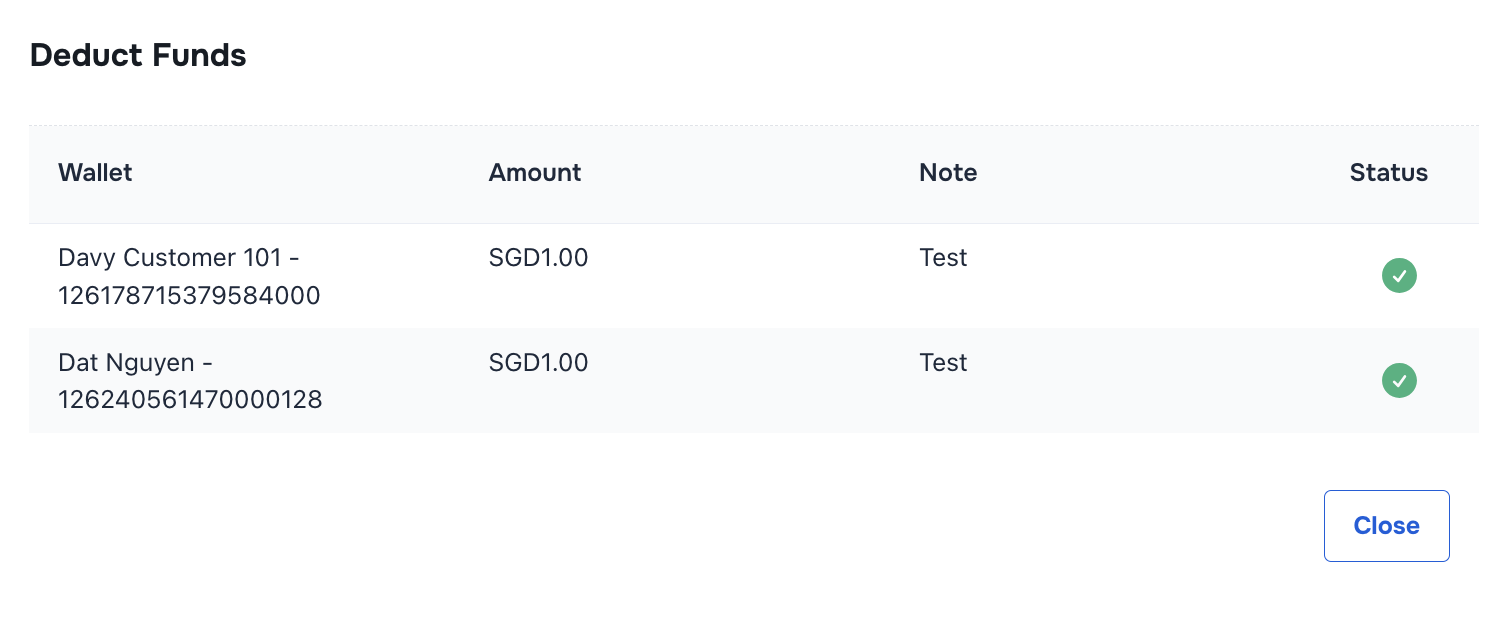
- Click "Process" button to Deduct Fund
#
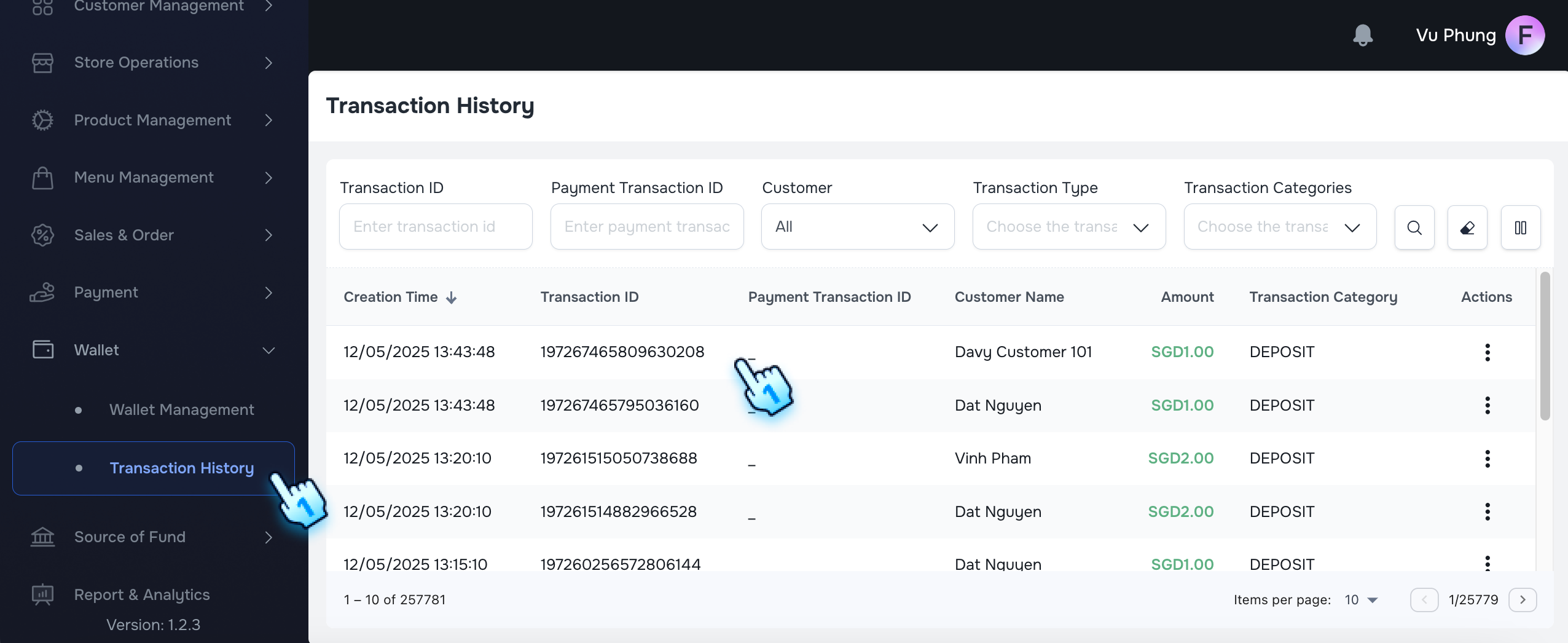
Transaction History
- Navigate to Transaction History
- Go to the wallet's transaction history section to verify the latest transactions.
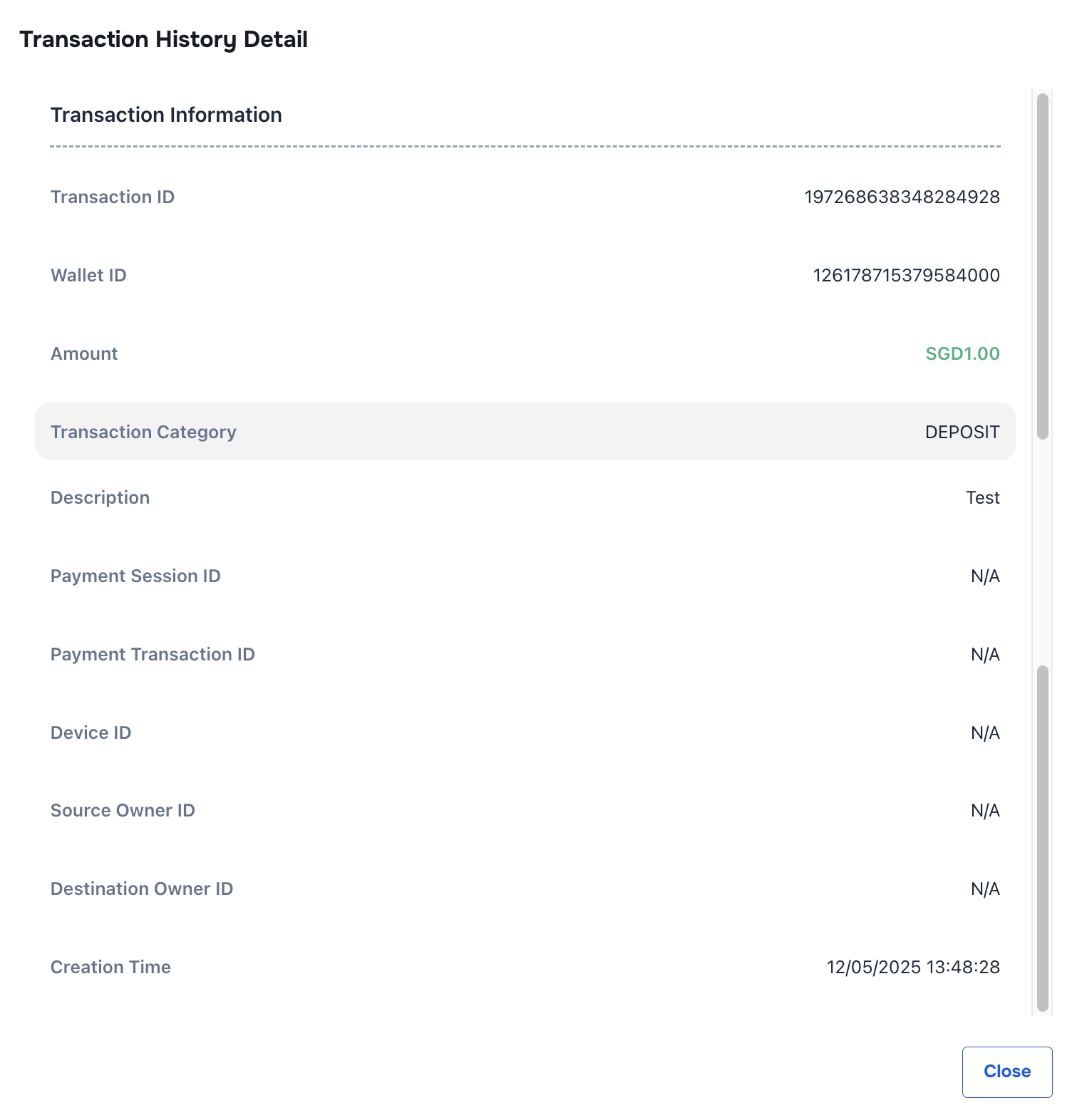
- View Transaction
- Each Add/ Deduct Fund transection will be recorded separately
#
Conclusion
This document provides a structured approach for managing and reviewing fund transactions within the application, ensuring efficient fund management and user experience.
#
Screen flow
#
Add Fund
#
Deduct Fund
#
Transaction History