#
Login Process
#
Description
This document outlines the various functionalities related to the startup and login processes of the application. It covers the display of screens, login validations, and shift management for users and supervisors.
#
Login
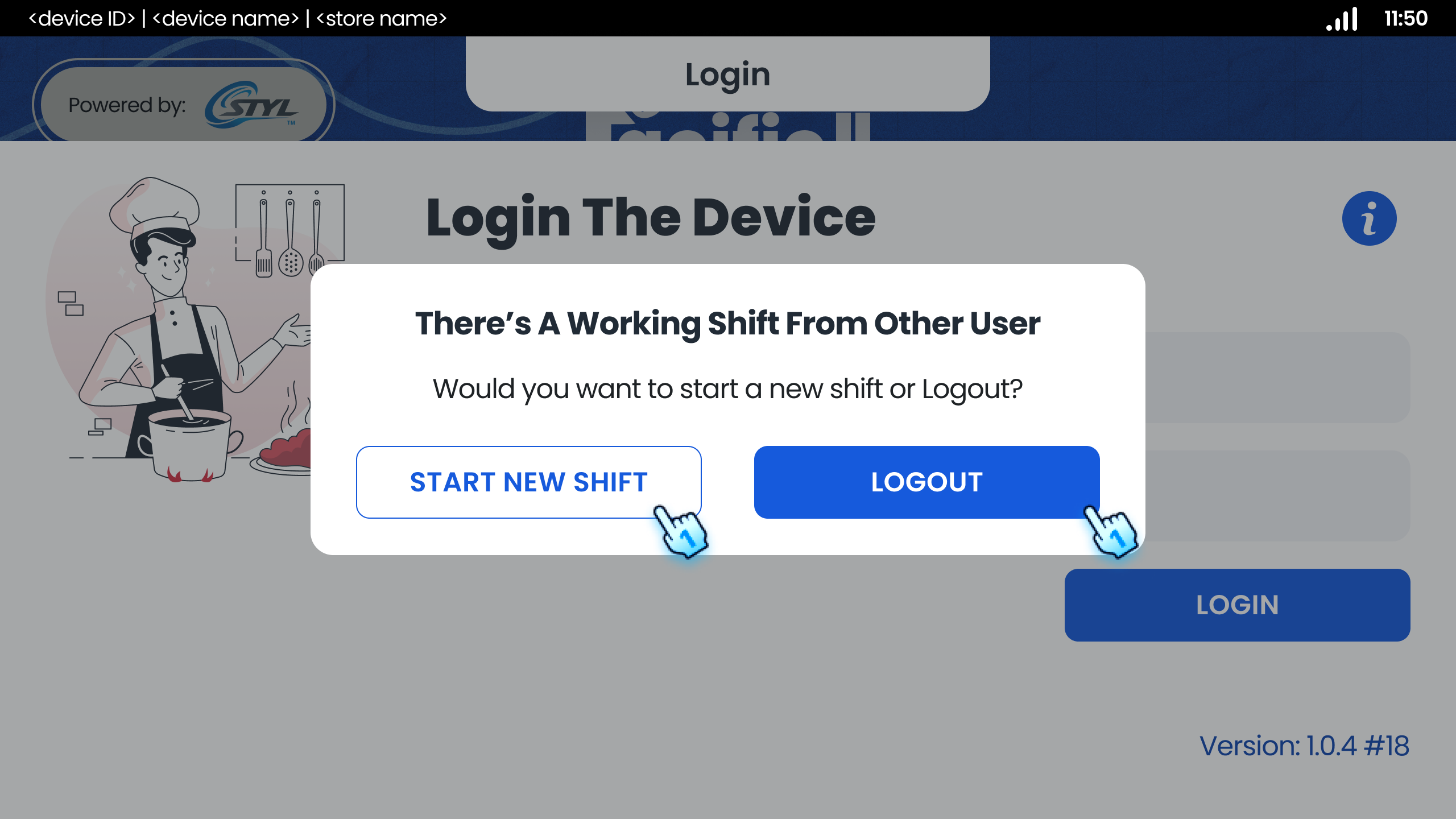
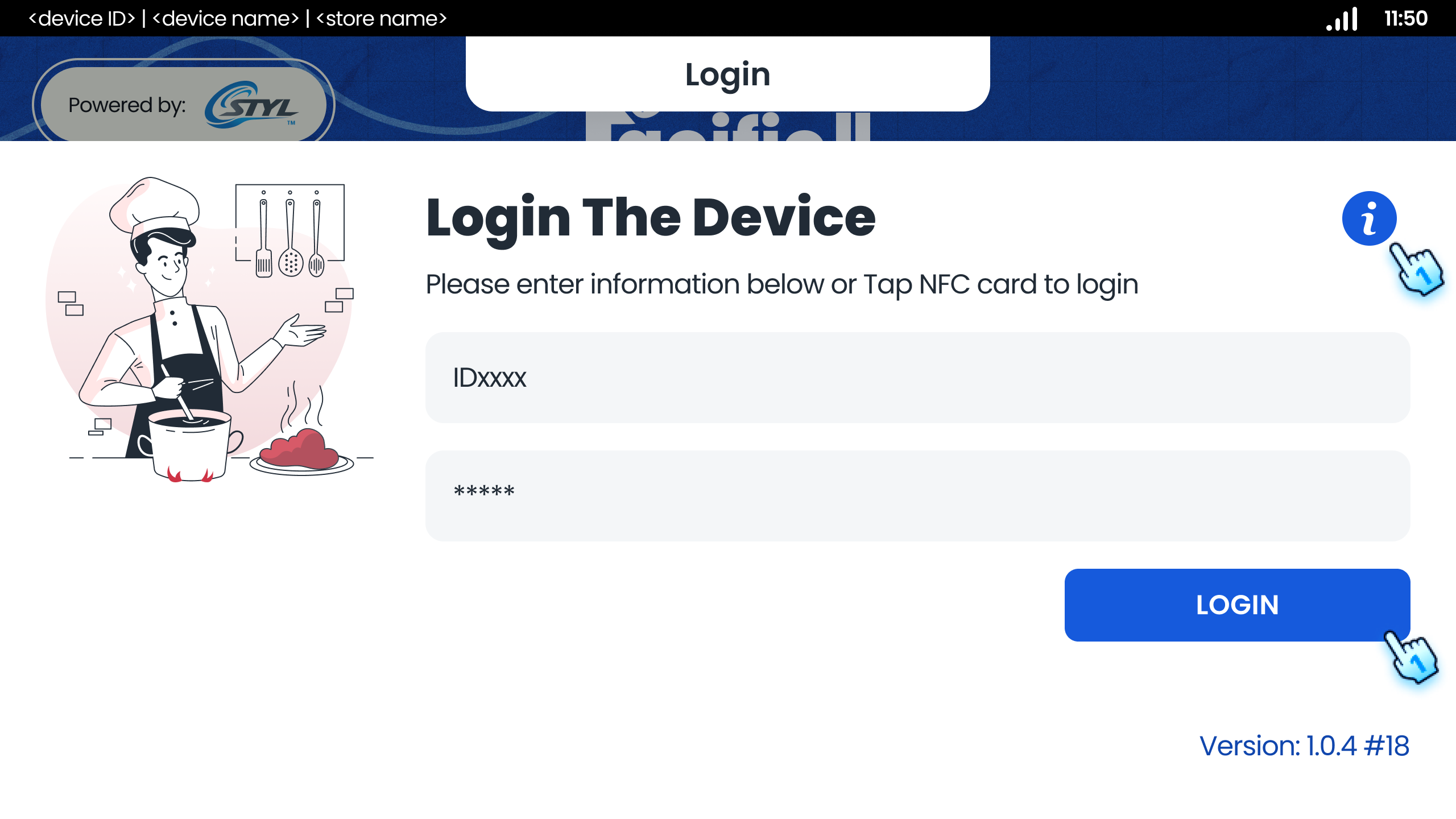
- Display Login Screen After Launching App
- The application should present the login screen immediately upon launch.
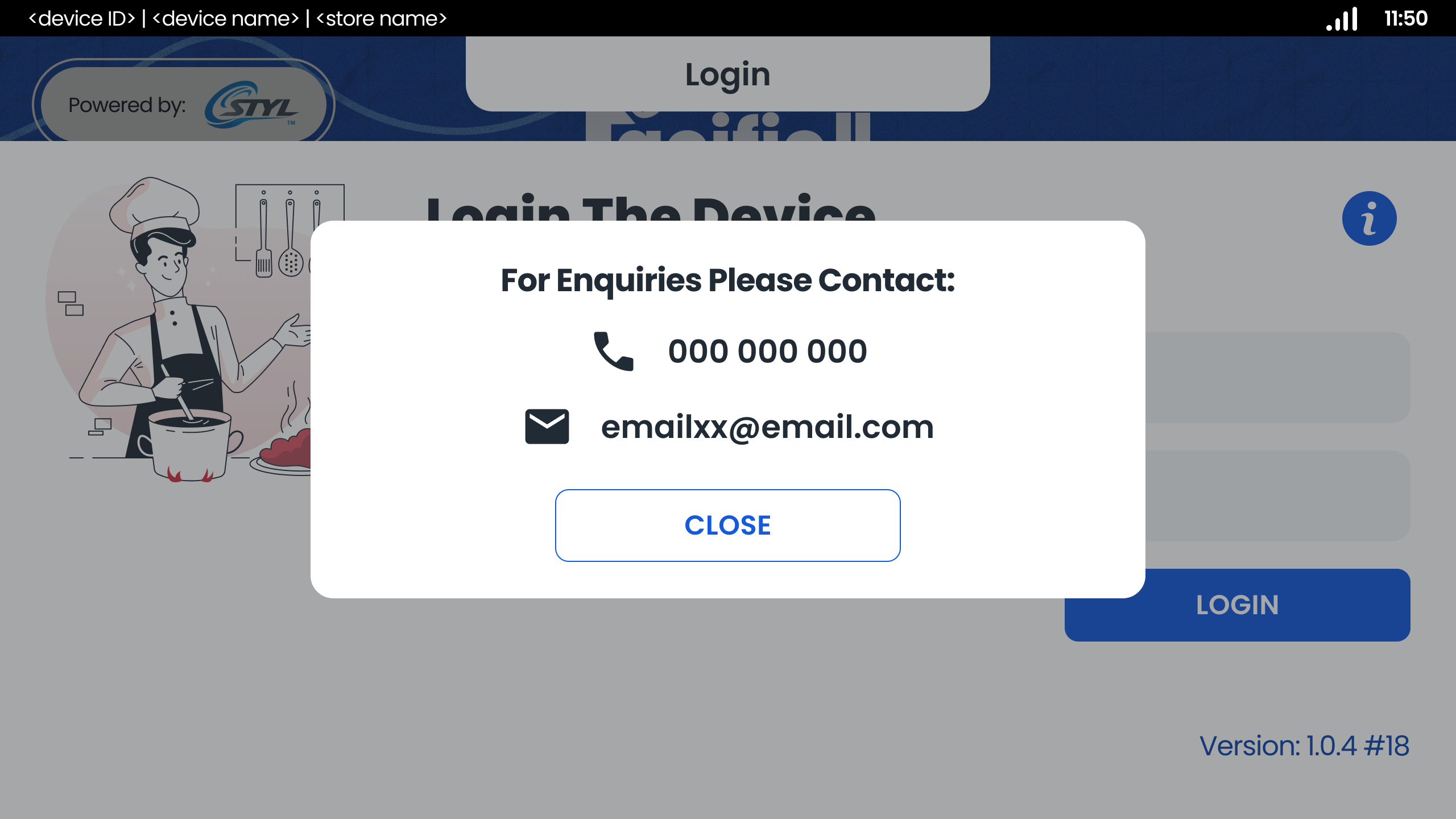
- Display Contact Information at Login screen
- Tap "i" button to display relevant contact information for user reference.
- Enter Valid User ID and PIN to login
- Enter a valid user ID and corresponding PIN.
- Successful Login with Valid ID and PIN
- As previously stated, successful login occurs with a valid user ID and PIN.
- Using NFC card to login
- Tap valid NFC card to login
- Successful Login with Valid ID and PIN
- Successful login occurs with a valid NFC card
#
Shift Management
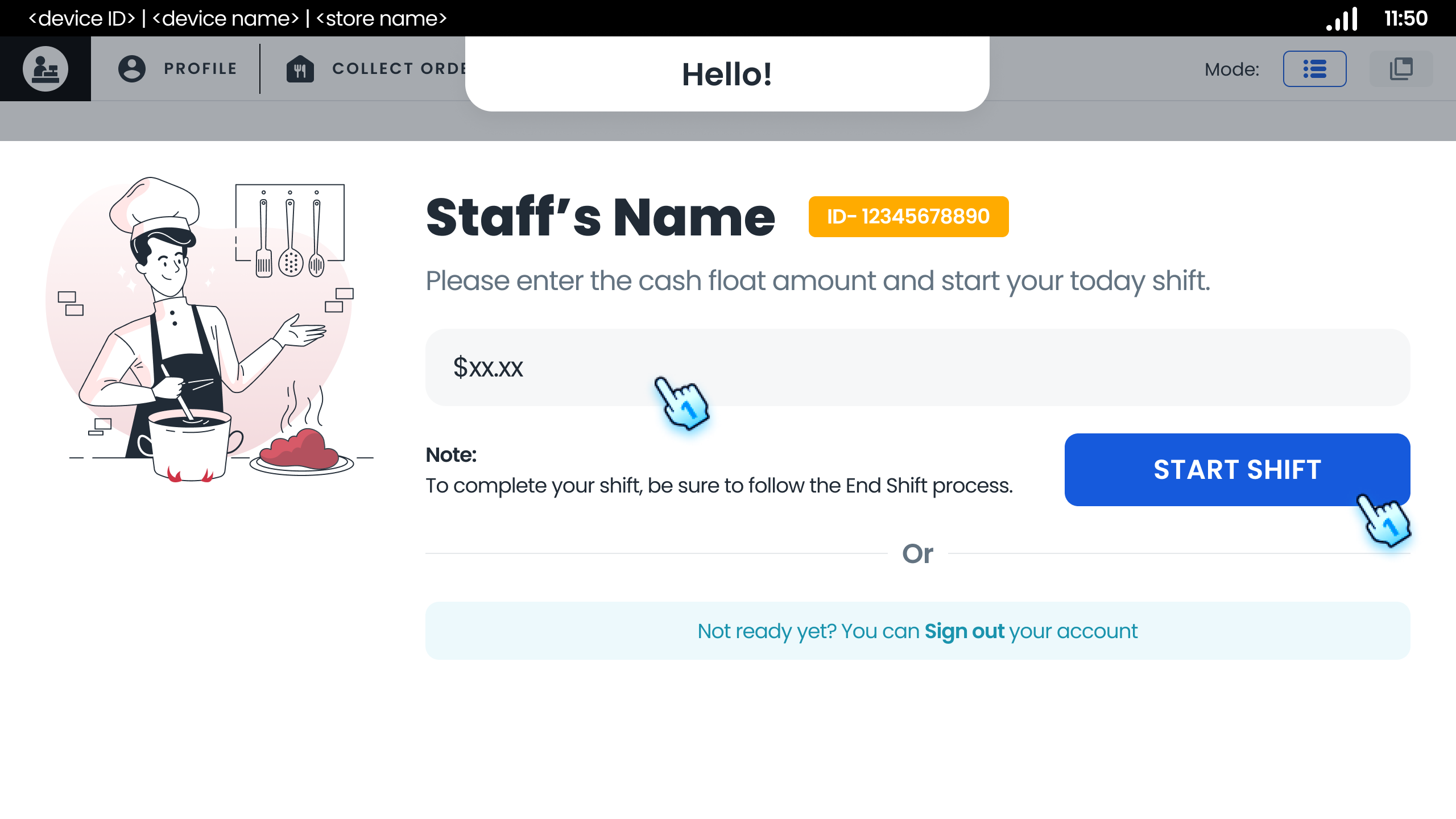
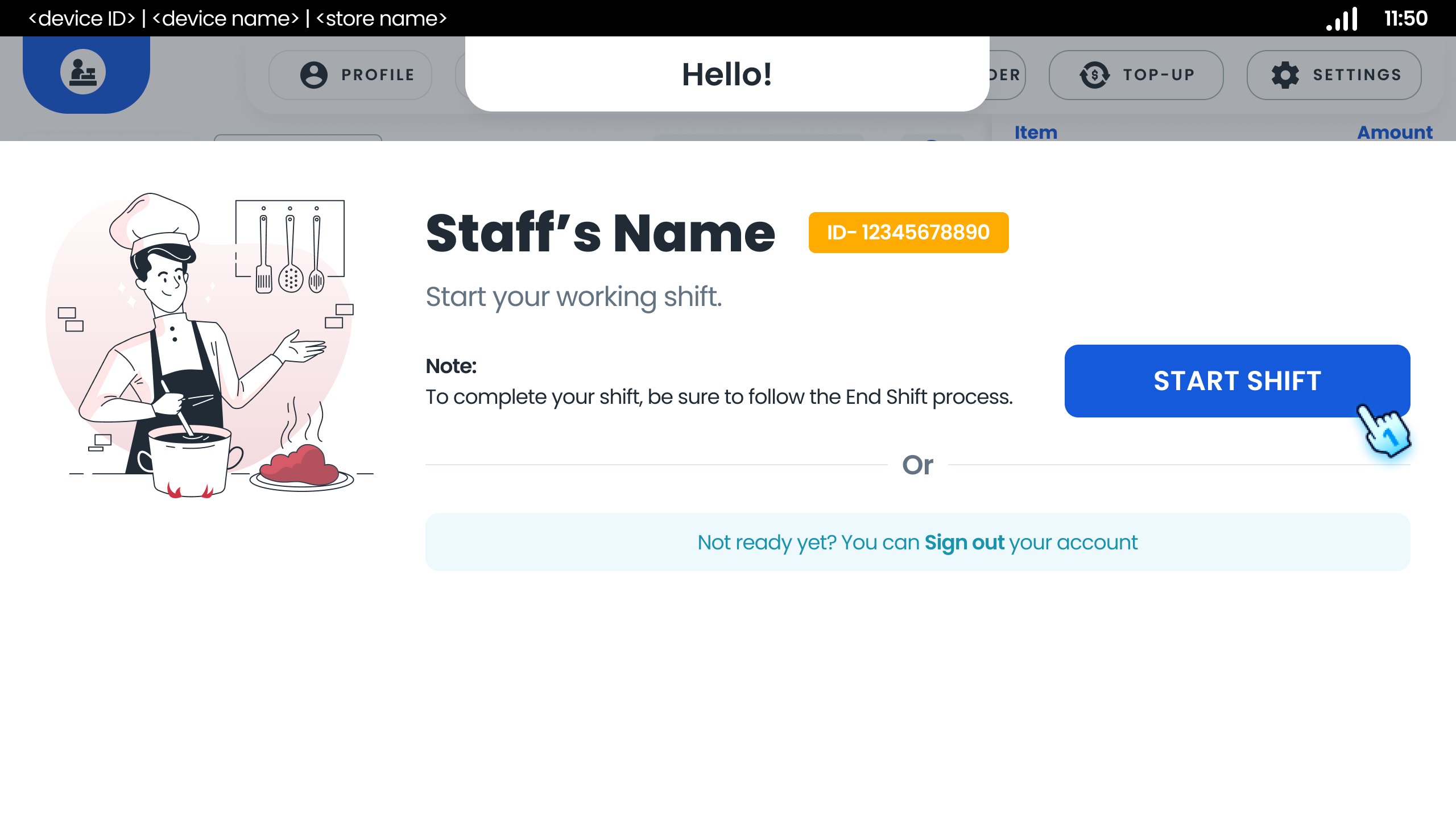
- Start New Shift as Staff
- Enter the cash float amount
- Tap "Start Shift" button Note: If the POS doesn't have CASH payment configured, there's no cash info and cash float input steps to end start shift
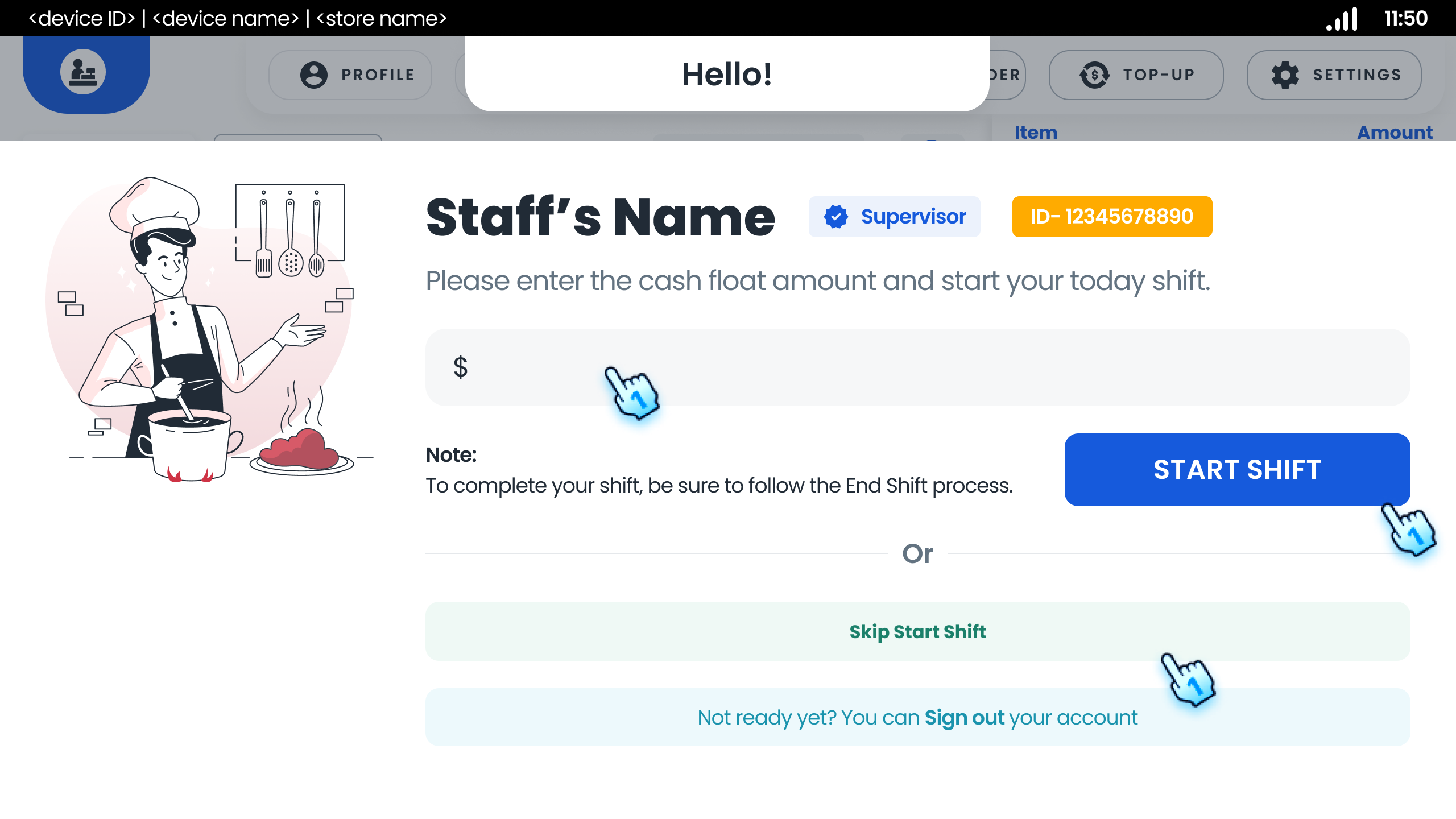
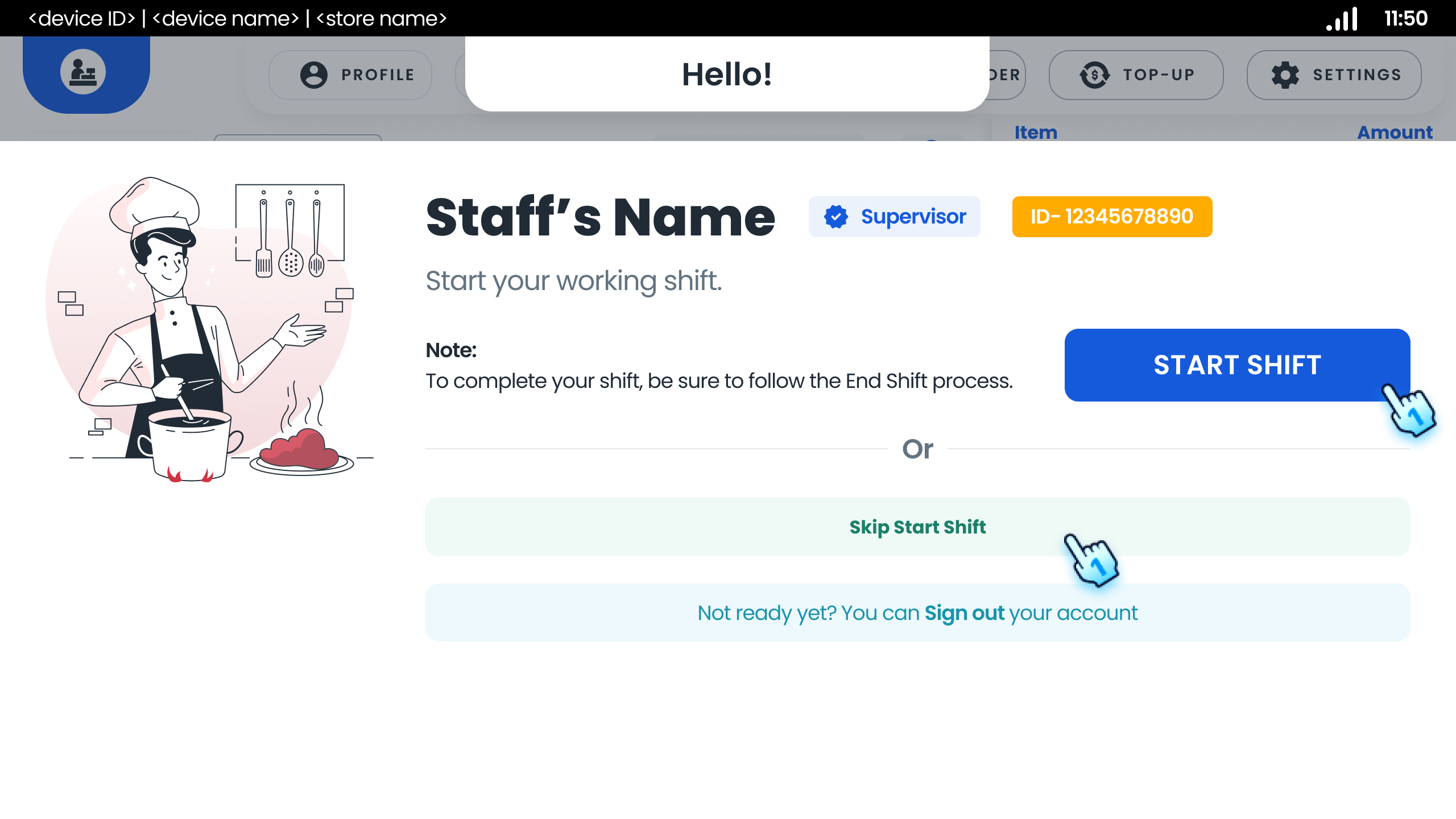
- Start New Shift as Supervisor
- Enter the cash float amount
- Tap "Start Shift" button Or
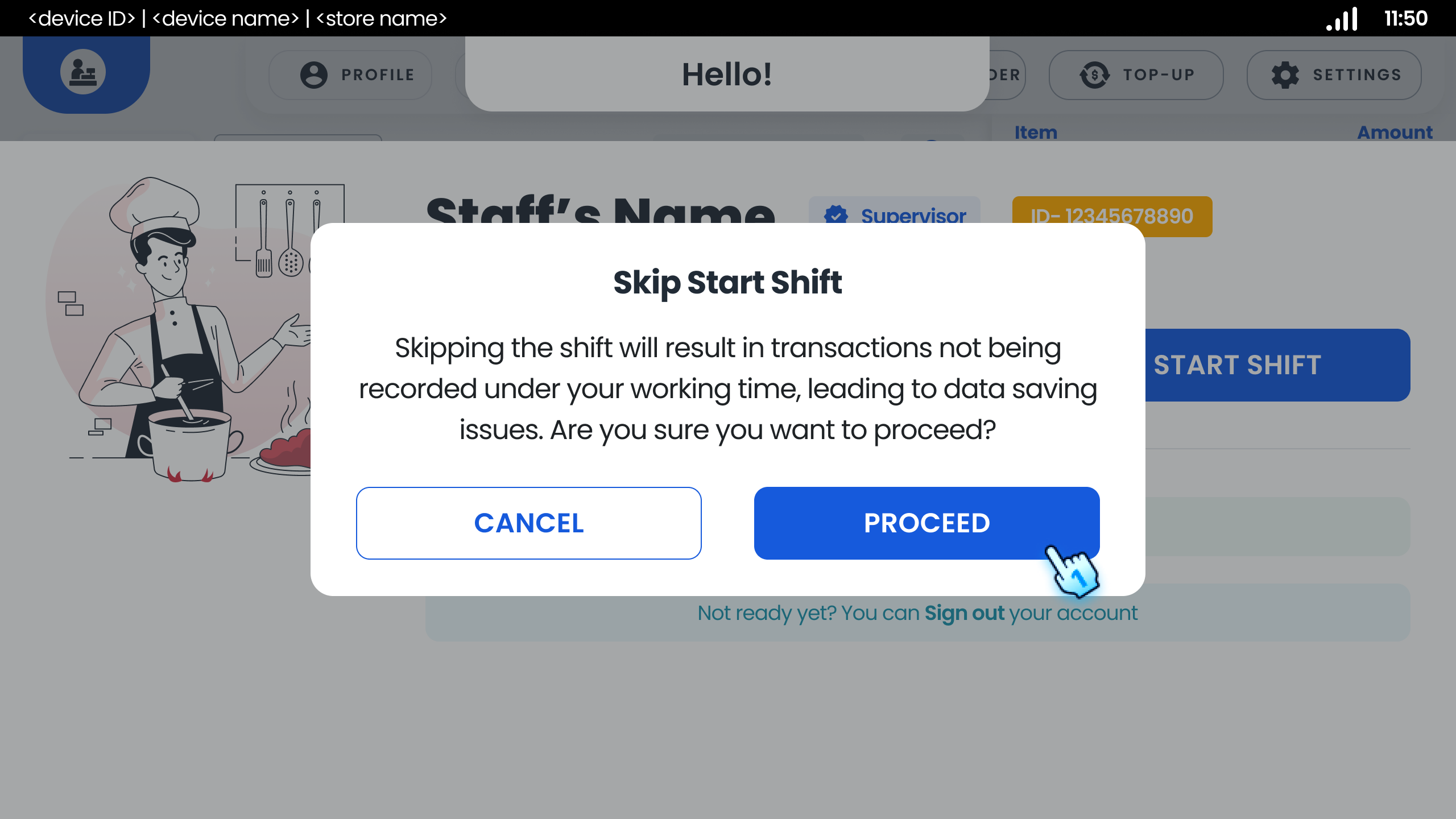
- Tap "Skip Start Shift" button if neccessary
- Tap Proceed button on Skip Start Shift dialog prompting transaction will not be recorded Note: If the POS doesn't have CASH payment configured, there's no cash info and cash float input steps to start their shift
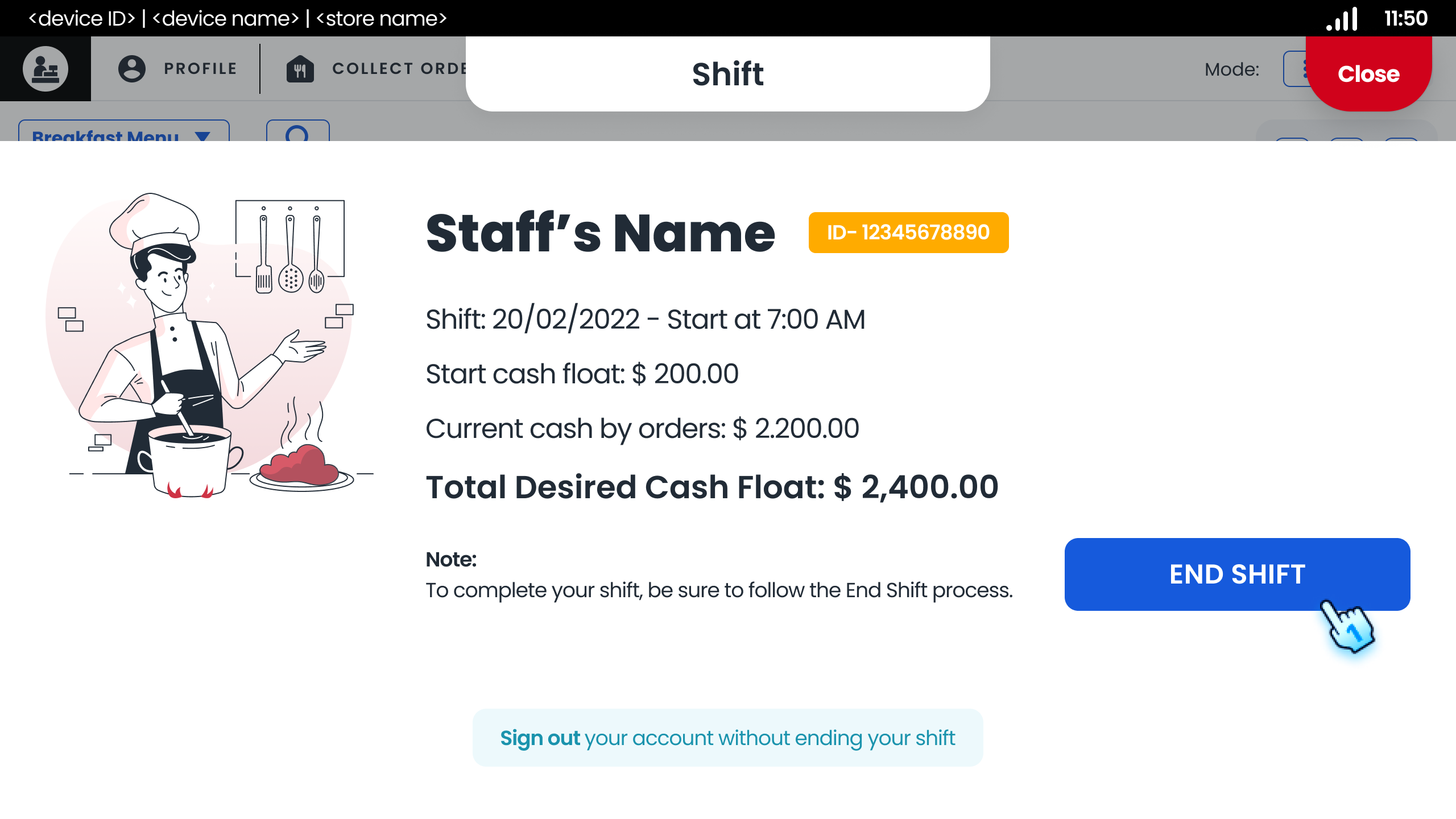
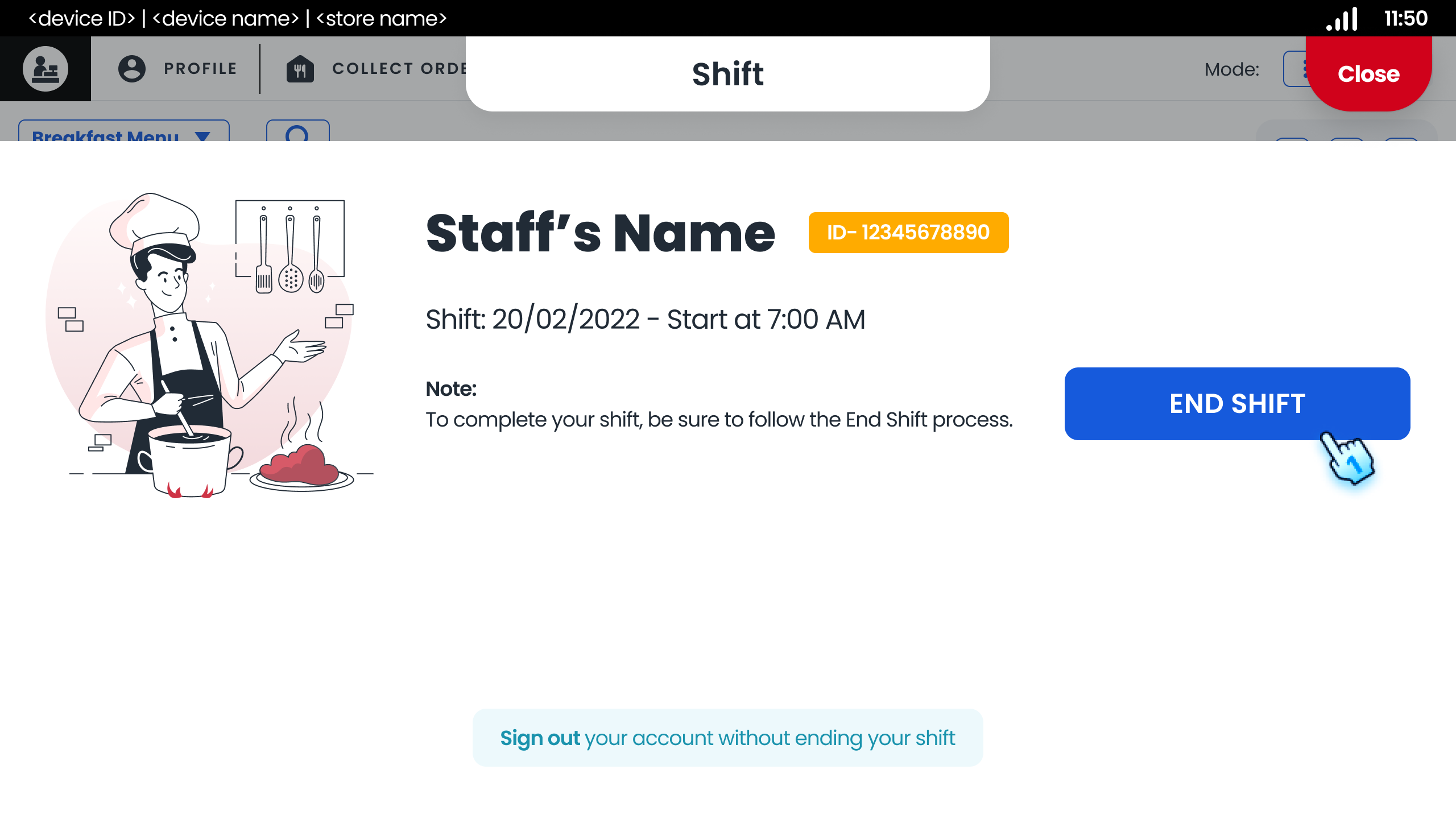
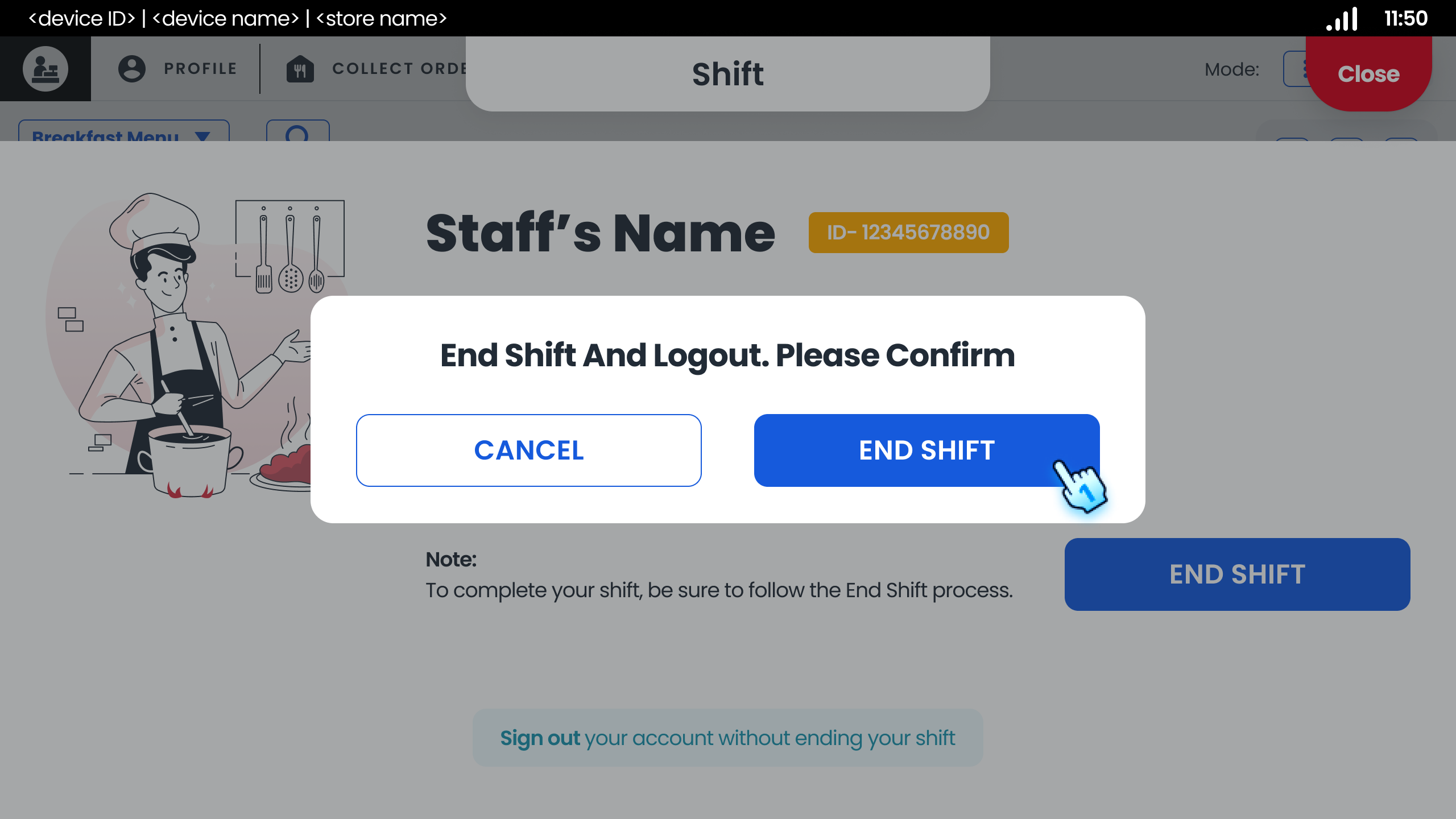
- End Shift
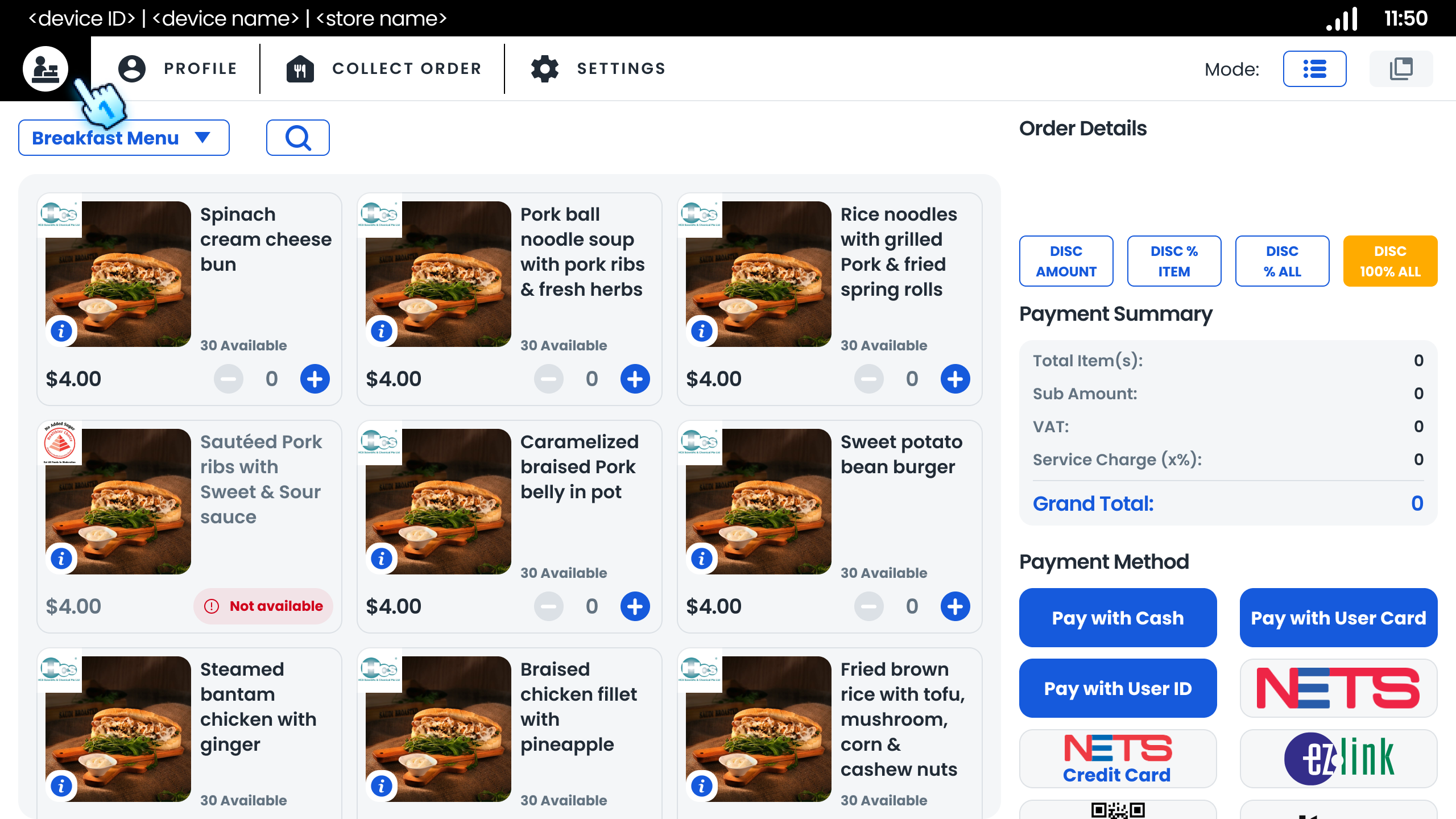
- Tap "End Shift" button on the top left corner
- View and Tap "End Shift" button in Shift summary pop-up
- Tap "End Shift" button in the confirmation dialog Note: If the POS doesn't have CASH payment configured, there's no cash info and cash float input steps to end their shift
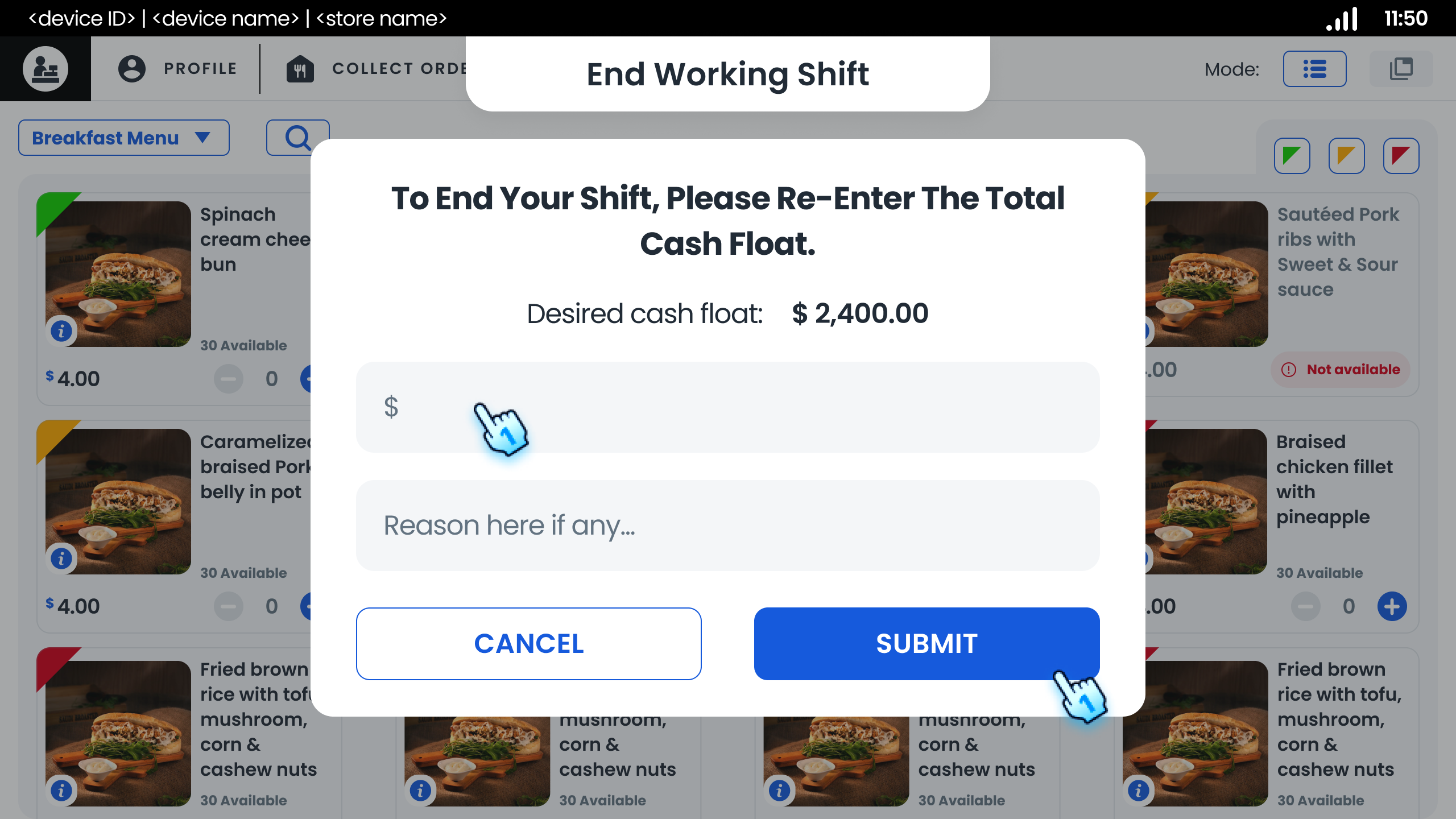
- End Shift with Correct Cash Float
- Enter the cash float
- Tap "Submit" button
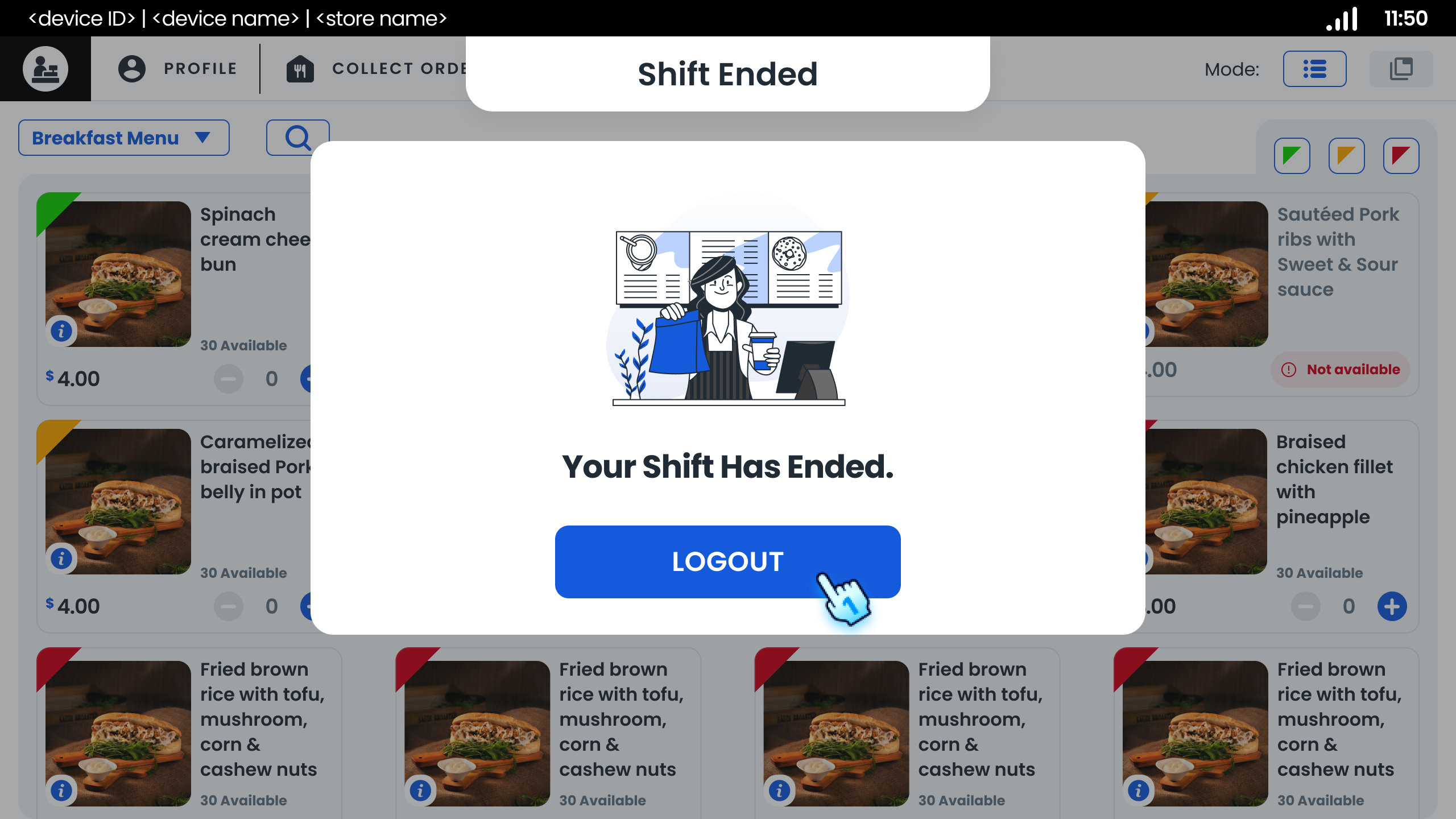
- Tap "Log out" button to complete the process
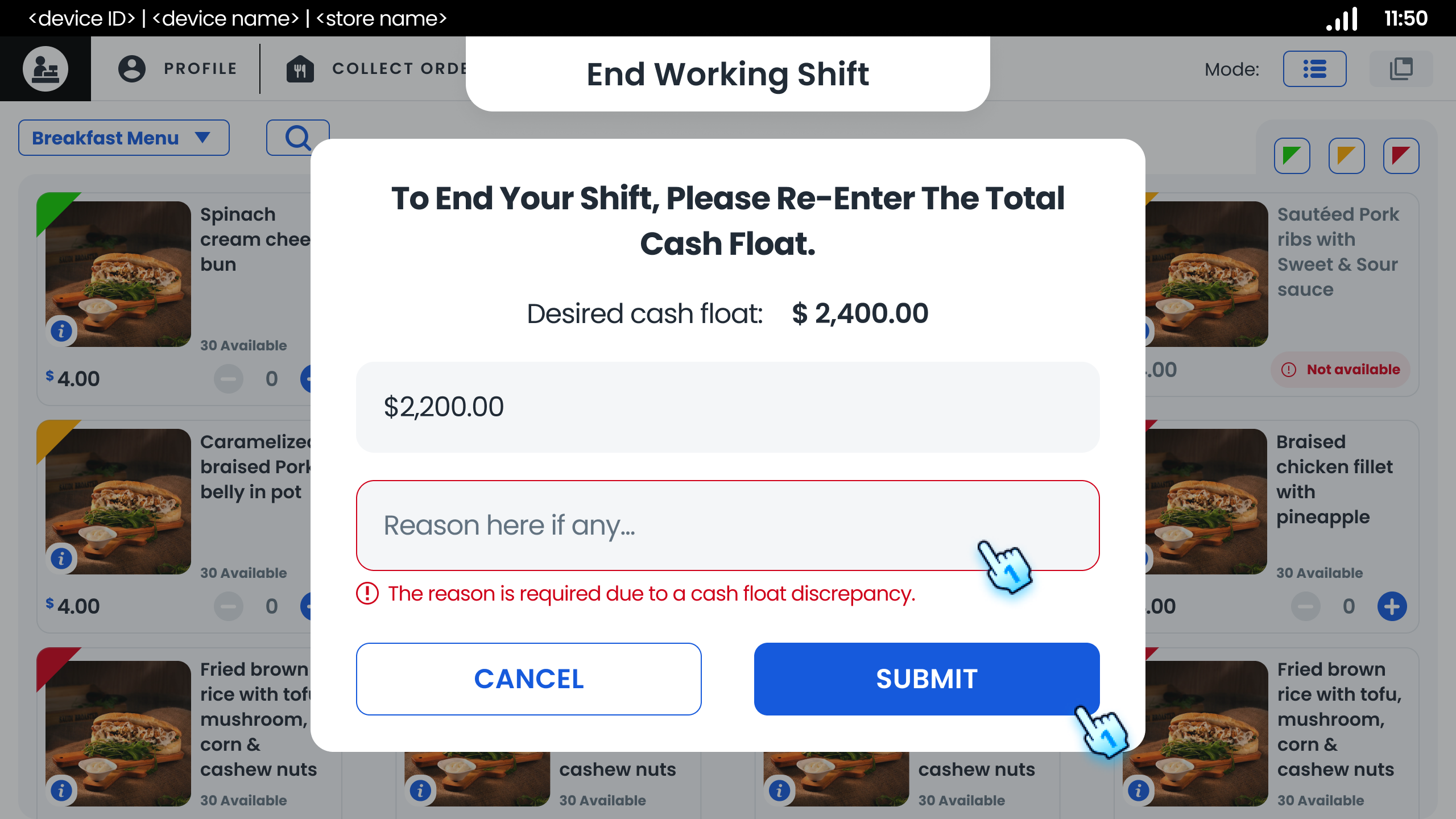
- End Shift with Incorrect Cash Float
- Enter the cash float
- Provide a reason for ending their shift when the cash float does not match expected values.
- Tap "Submit" button
- Tap "Log out" button to complete the process
#
Conclusion
This document summarizes the essential functionalities related to the startup screen, login processes, and shift management within the application. Adhering to these guidelines will enhance the user experience and ensure proper operational procedures are followed. For further assistance, please refer to additional documentation or contact support.
#
Screen flow
#
Login
#
Shift Management